PawPortrait Journal
Turn a Dog Photo into a Custom Pet Portrait | PawPortrait
Sep 4, 2026
“Learn how to turn any dog photo into a beautiful custom pet portrait in minutes. Discover photo tips, 6 curated art styles, printing advice, and personality roasts.”
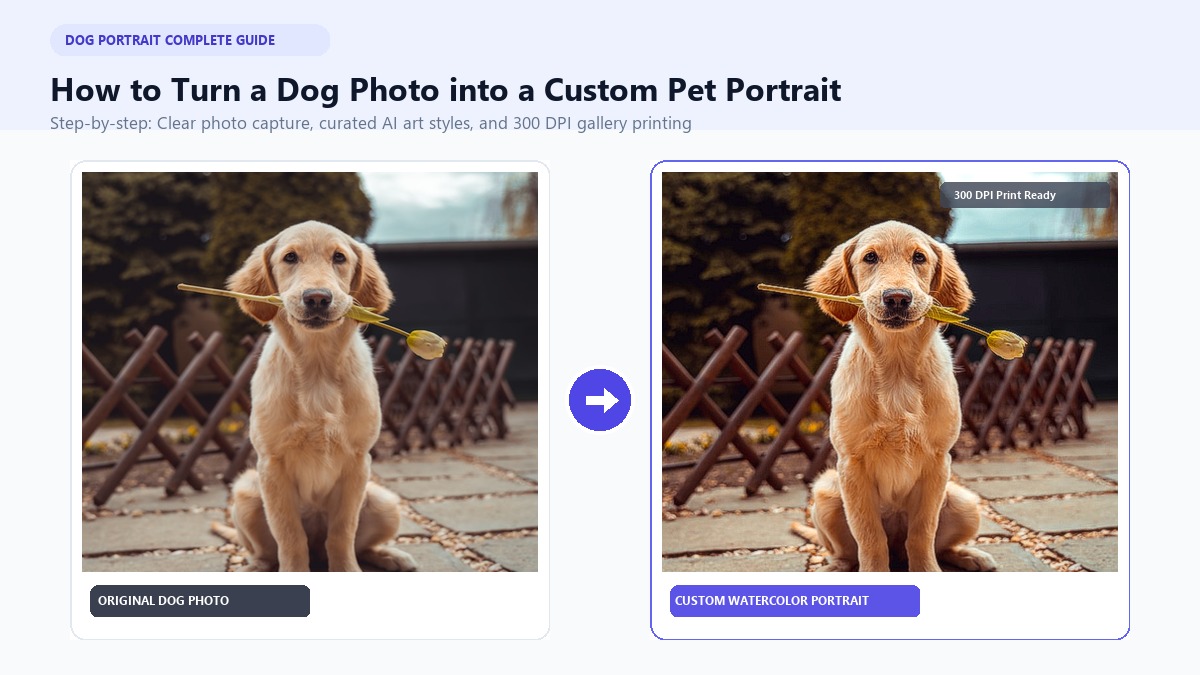
To turn a dog photo into a custom pet portrait, upload a clear photo to an AI art studio, pick your favorite style, and download print-ready art in under 60 seconds. Modern tools create gallery-grade wall art and hilarious cards without expensive artist fees or long delays.
Every dog owner's phone is bursting with photos. You've got snapshots of goofy naps, intense treat begging, and chaotic backyard zoomies. Yet, those golden moments rarely make it off your screen and onto your living room walls.
When Sarah adopted Barnaby, a scruffy rescue Golden Retriever mix, she took hundreds of photos in just a few weeks. Her absolute favorite captured morning sunlight catching Barnaby's eyes while he proudly held a tennis ball. Sarah wanted a framed painting for her mantelpiece. Unfortunately, traditional oil painters quoted $180 and four long weeks of waiting.
Instead, she decided to create your custom pet portrait with PawPortrait. In just 45 seconds, Barnaby's snapshot became a delicate watercolor painting. The soft brushstrokes captured every whisker with incredible precision.
This guide shows you exactly how to turn your dog's photos into lasting art and funny keepsakes in minutes.
Key Takeaways
- Eye-Level Photos Win: Crouch down to your dog's eye level and use soft window light to capture clear fur texture and eye reflections.
- Zero Prompts Needed: Modern AI studios create fine art in 20–60 seconds without complex prompts or drawing skills.
- Match Art to Personality: Choose Watercolor for gentle memorials, Royal Aristocrat for bossy pups, or 3D Cartoon for energetic dogs.
- Print at 300 DPI: Download full-resolution, watermark-free files to get sharp prints on canvas or textured art paper.
Step 1: Capturing the Perfect Source Photo
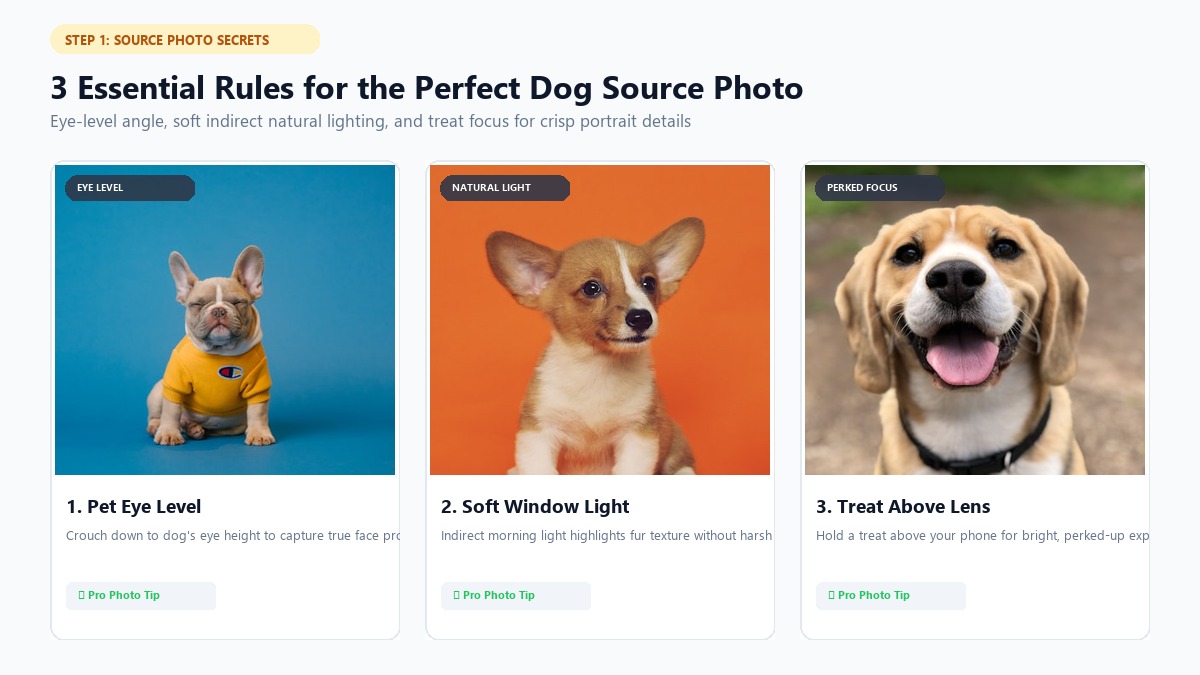
Great pet art always starts with a good reference photo. You don't need a fancy camera or studio equipment. Your smartphone camera works wonders when you follow a few simple rules.
       PHOTO COMPOSITION CHEAT SHEET FOR DOG PORTRAITS
  =============================================================
  [ DO ]                                [ DON'T ]
  ✓ Crouch to pet eye level             ✗ Shoot down from standing height
  ✓ Soft, indirect natural light        ✗ Harsh direct phone flash
  ✓ Focus sharply on pupils/eyes        ✗ Blurry, motion-blurred shots
  ✓ Treat/squeaker above camera lens   ✗ Obscured face / heavy shadows
  ✓ 1x or 2x optical camera zoom        ✗ 0.5x ultra-wide lens distortion
  =============================================================
1. Get Down to Your Dog's Eye Level
Standing up and pointing your camera down is a common mistake. It makes your dog's head look huge and shrinks their body.
Instead, crouch down or sit right on the floor. Line up your camera lens with your dog's eyes. It creates an intimate, engaging focal point that captures their true proportions.
2. Use Soft Natural Light
Good lighting helps the art engine capture your dog's fur and expression with crisp clarity.
- Indoors: Place your pup near a large window in the morning. Turn off harsh overhead ceiling lights to avoid weird yellow casts.
- Outdoors: Overcast days work best because clouds soften direct sunlight. If it's a bright sunny afternoon, shoot in open shade under a porch or tree.
- Skip the Flash: Camera flash flattens facial features. It also creates red or green eye glare that ruins the shot.
3. The Treat Above the Lens Trick
Want your dog to look right into the camera with perked ears? It's easier than you think.
Hold a small treat or squeaky toy against the top edge of your phone. Make a gentle sound. The second your dog looks up with bright eyes, snap several quick shots using your camera's burst mode.
4. Tips for Black and Pure White Dogs
Dark and light coats need slight exposure adjustments to look their best.
- Black Dogs: Dark fur can easily turn into a solid silhouette. Face your dog toward soft window light so highlights bring out coat texture. Tap your phone screen on your dog's face and slide brightness up a notch.
- White Dogs: Bright white fur can lose detail in direct sunlight. Tap your phone screen on the brightest part of their coat and lower brightness slightly to preserve fur texture.
Looking for more inspiration across breeds? Check out our complete guide on making a pet portrait from photo.
Step 2: Choosing Your Transformation Method (AI vs. Traditional vs. DIY)
You've got three main ways to turn a dog photo into custom artwork. Each option balances cost, turnaround speed, and required skill differently.
+-------------------+--------------------+--------------------+--------------------+
| Feature / Factor  | PawPortrait AI     | Traditional Artist | DIY Software (PS)  |
+-------------------+--------------------+--------------------+--------------------+
| Turnaround Time   | 20–60 Seconds      | 2–4 Weeks          | 2–6 Hours          |
| Cost              | $4.99–$19.99       | $80–$250+          | Software Sub ($20+) |
| Technical Skill   | Zero Prompts/Skill | None Required      | Intermediate/Adv.  |
| Facial Accuracy   | High Fidelity      | Depends on Artist  | Variable (Filter)  |
| File Resolution   | 300 DPI Print HD   | Physical Canvas    | User Exported      |
| Pay Structure     | One-Time Credits   | Single Commission  | Monthly Sub Trap   |
+-------------------+--------------------+--------------------+--------------------+
Option A: Dedicated AI Pet Art Studios (Fastest and Easiest)
Tools like PawPortrait are trained specifically on canine facial anatomy. You don't have to write confusing prompts or adjust technical sliders. You simply select a style preset and generate your artwork.
- Pros: Renders in 20–60 seconds; keeps true ear shapes, coat markings, and eye colors; offers affordable credit packs ($4.99 for 8 art pieces) with no recurring monthly subscription traps; exports 300 DPI files ready for canvas printing.
- Best For: Pet owners who want quick, gallery-quality wall art and gifts without high prices or long turnaround times.
Option B: Traditional Hand-Painted Art (Physical Keepsakes)
You can hire a painter on Etsy or through specialized studios to render your dog in physical oils or watercolor.
- Pros: Authentic physical painting on canvas with real tactile brush textures.
- Cons: Costs $80 to over $250; takes two to four weeks; almost impossible to fix details once paint dries.
- Best For: Art collectors with larger budgets and plenty of time to spare.
Option C: DIY Design Software (For Hobbyists)
Programs like Photoshop or Procreate let you apply digital filters or paint over photos manually.
- Pros: Complete creative control over every line, layer, and color.
- Cons: Demands hours of practice; generic filters often look like blurry smudges rather than authentic paintings.
- Best For: Digital illustrators who already own drawing tablets and paid software suites.
For fast, reliable results, exploring modern custom dog portraits offers the ideal balance of artisan quality and pure convenience.
Step 3: Selecting the Perfect Artistic Style for Your Dog's Personality
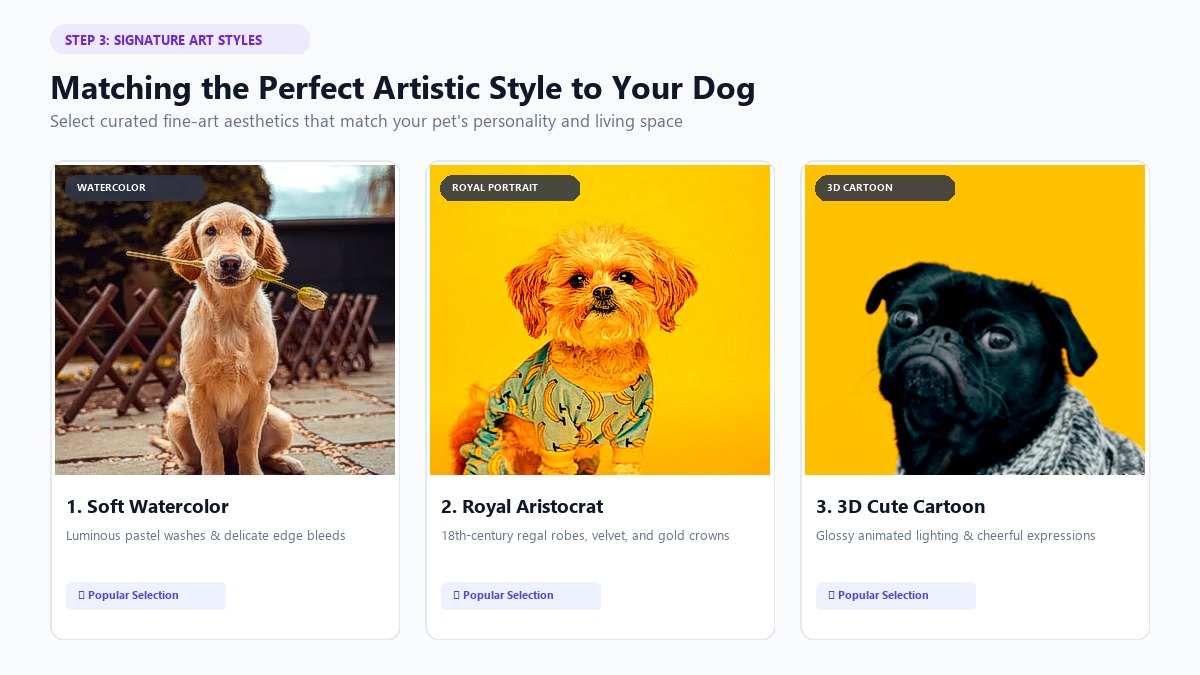
Great custom pet art doesn't just copy a photograph—it captures your dog's true personality. PawPortrait provides six curated styles tailored to different canine temperaments and room aesthetics.
       CANINE PERSONALITY TO ART STYLE MATCHMAKING MATRIX
  ========================================================================
  DOG TEMPERAMENT                RECOMMENDED STYLE         IDEAL ROOM PLACEMENT
  ------------------------------------------------------------------------
  Gentle, Sweet, Senior Pup  --> Watercolor Portrait   --> Bedroom / Living Room
  Dignified, Aloof, Bossy    --> Royal Aristocrat      --> Dining Room / Entryway
  Playful, Goofy, Puppy      --> 3D Cartoon Character  --> Playroom / Home Office
  Brave, Energetic, Watchdog --> Superhero Pet         --> Game Room / Hallway
  Cozy, Snuggly, Gentle      --> Cozy Storybook        --> Nursery / Reading Nook
  Sleek, Modern, Athletic    --> Minimal Studio        --> Modern Living Space
  ========================================================================
1. Watercolor Pet Portrait (Soft and Timeless)
Watercolor portraits combine delicate pastel washes with authentic paper textures. This style softens sharp photo edges and highlights gentle expressions.
- Look: Soft brushstrokes, paper grain, light pastel tones, and fluid edges.
- Best Match: Gentle family dogs, Golden Retrievers, Cavalier King Charles Spaniels, and touching memorial portraits for senior dogs.
- Learn More: See how watercolor brings photos to life in our guide to watercolor pet portraits.
2. Royal Aristocrat Portrait (Majestic and Funny)
Turn your couch lounger into an 18th-century monarch. This style dresses your pup in velvet robes, gold medals, and crowns with rich oil paint textures.
- Look: Deep jewel tones, rich canvas textures, and period royal attire.
- Best Match: Serious, stubborn, or bossy dogs like Bulldogs, Pugs, Dachshunds, and Great Danes.
3. 3D Cartoon Character (Playful and Cute)
Inspired by modern animated movies, this style features big expressive eyes, glossy fur, and warm studio lighting.
- Look: Animated lighting, bright colors, and cheerful cartoon expressions.
- Best Match: Energetic puppies, terriers, French Bulldogs, and dogs with infectious, goofy smiles.
4. Superhero Pet (Heroic and Bold)
Celebrate your dog's fearless loyalty with metallic armor and cinematic backdrops.
- Look: Polished armor, glowing lights, and bold superhero poses.
- Best Match: Protective German Shepherds, Dobermans, and energetic rescue dogs.
5. Cozy Storybook Illustration (Warm and Whimsical)
This style features warm colors and hand-drawn lines, just like classic children's picture books.
- Look: Gentle pencil outlines, warm honey tones, and rustic charm.
- Best Match: Snuggly companions, Labradors, and dogs who love curling up on the sofa on rainy afternoons.
6. Minimal Studio Portrait (Clean and Modern)
This style places your dog under clean studio lights against a solid contemporary backdrop.
- Look: Sharp subject focus, smooth backgrounds, and clean edges.
- Best Match: Poodles, Boxers, Whippets, and dogs in modern apartments.
Bonus: The AI Personality Roast Card
Want a good laugh? PawPortrait also generates viral Personality Roast Cards.
The AI looks at your dog's photo and expression to create a custom card. Each card includes a title ("The Couch Dictator"), three funny quirks, and a secret weakness ("Weakness: The sound of cheese opening from three rooms away").
See fun examples in our guide to funny pet portraits & roasts.
Step 4: How to Create Your Dog Portrait in 3 Easy Steps
Making your custom pet portrait on PawPortrait takes less than two minutes from start to finish. Here's the simple walkthrough:
+-------------------------------------------------------------------------+
|                  THE 3-STEP PAWPORTRAIT CREATION FLOW                   |
|                                                                         |
|   [ 1. Upload Photo ]   --->   [ 2. Choose Style ]   ---> [ 3. Instant HD ]|
|   JPG / PNG / WEBP            Watercolor / Royal /        Full 300 DPI  |
|   Under 10MB                  Cartoon / Superhero /       Print Ready   |
|   Smart Centering             Roast Card                  20-60 Seconds |
+-------------------------------------------------------------------------+
1. Upload Your Dog's Photo
Go to the PawPortrait Creation Studio. Pick a clear photo from your phone or computer. The tool automatically centers your dog and isolates background elements.
2. Pick Your Art Style
Choose from the curated presets:
- Click Watercolor for soft, hand-painted art.
- Choose Royal Portrait for funny regal robes.
- Select 3D Cartoon for animated movie charm.
- Pick Personality Roast to create a funny social card.
3. Download Your Print-Ready Art
Click Generate. In just 20 to 60 seconds, your high-resolution artwork is ready. You can preview the image and download the full file directly to your phone or computer.
PawPortrait uses non-expiring pay-as-you-go credit packs starting at $4.99 (8 credits), so you'll never face surprise monthly fees.
Watch this quick tutorial to see how photo transformation works:

Step 5: Printing, Framing & Displaying Your Pet Art
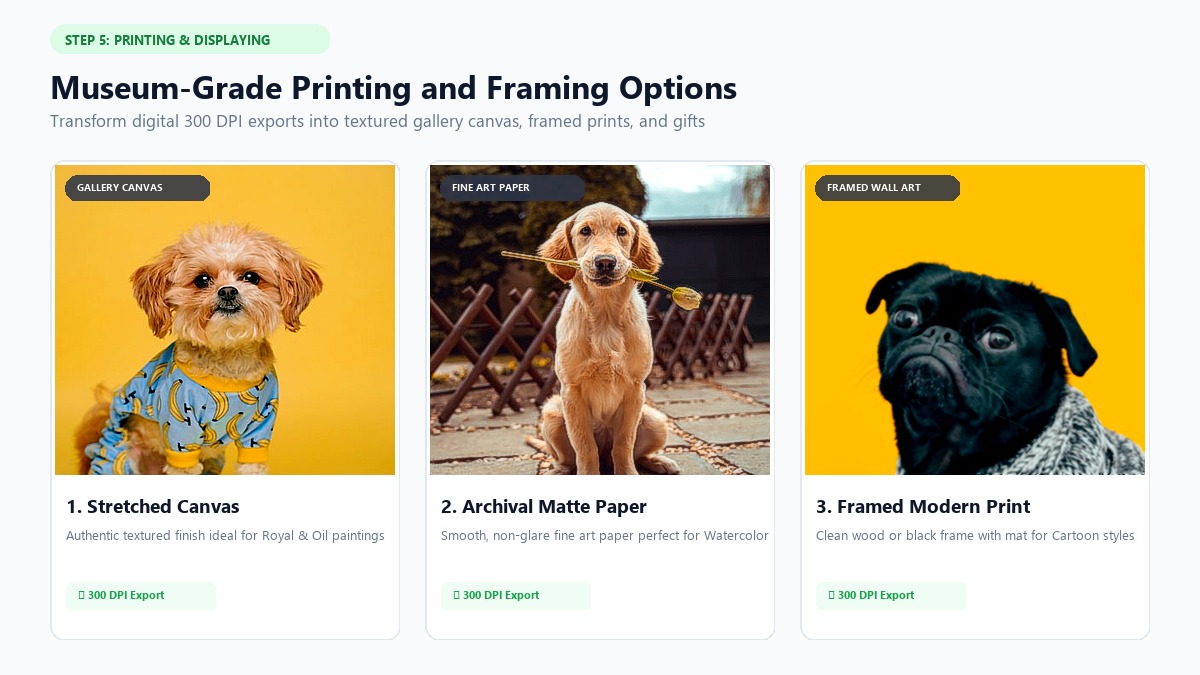
Once you download your high-resolution art, you can print, frame, and display it throughout your home.
       PRINTING SPECIFICATIONS & RESOLUTION CHEAT SHEET
  =============================================================
  PRINT SIZE        MINIMUM PIXELS (300 DPI)   BEST MEDIUM
  -------------------------------------------------------------
  8" x 10"          2400 x 3000 px             Archival Matte Paper
  11" x 14"         3300 x 4200 px             Fine Art Paper / Wood
  12" x 16"         3600 x 4800 px             Stretched Gallery Canvas
  16" x 20"         4800 x 6000 px             Wrapped Stretched Canvas
  =============================================================
1. The 300 DPI Print Rule
For sharp prints, always print at 300 DPI (dots per inch). Low-resolution photos look fuzzy on large frames. PawPortrait exports high-resolution files that print cleanly up to 16" x 20" without losing detail.
2. Picking the Best Print Medium
- Stretched Canvas (Best for Royal and Oil Styles): Canvas adds real texture and depth, making oil paintings look authentic.
- Matte Fine Art Paper (Best for Watercolor): Heavy textured paper looks just like hand-painted watercolor paper behind glass.
- Framed Prints with White Mats (Best for Cartoon and Minimal): A simple black or wood frame with a white mat creates a clean gallery style.
3. Display and Gift Ideas
- Over the Fireplace: Hang a royal portrait in your living room where guests can enjoy a smile.
- Phone Wallpapers: Crop your art to fit your lock screen for a daily smile.
- Gifts for Pet Lovers: Print your artwork onto mugs, tote bags, or greeting cards for birthdays and holidays.
Frequently Asked Questions
What is the best way to turn a dog photo into a custom pet portrait?
The easiest way is using a dedicated pet AI studio like PawPortrait. Upload a clear phone photo, pick a style like Watercolor or Royal Portrait, and download 300 DPI print-ready art in 20–60 seconds without paying expensive artist fees.
Can I turn an older or slightly blurry dog photo into a clear portrait?
Yes. PawPortrait's pet facial engine analyzes canine facial structure and fur patterns to rebuild crisp artistic details from phone photos. Clear photos give the best results, but the AI easily enhances older pictures.
How much does it cost to turn a dog photo into a custom portrait?
Etsy painters charge between $80 and $300. On PawPortrait, you can make custom portraits using credit packs starting at $4.99 for 8 credits (about $0.62 per art piece) with no recurring monthly subscriptions.
Which art style is best for a dog memorial portrait?
Watercolor Portrait is the top choice for memorials. Its soft pastel washes and gentle brushwork create a warm, comforting keepsake for framing.
Can I turn my dog's photo into a funny roast card as well as fine art?
Yes. PawPortrait includes an AI Personality Roast generator. The tool reviews your dog's expression to create a custom card with a funny title, quirky habits, and a secret weakness.
Conclusion
Turning your dog photo into a custom pet portrait is now fast, fun, and affordable. With a simple phone snapshot and your favorite art style, you can create beautiful wall art and funny keepsakes in less than a minute.
Here's how to get started:
- Pick a photo: Choose a clear, eye-level photo taken in soft natural light.
- Choose an art style: Pick Watercolor, Royal Portrait, 3D Cartoon, Superhero, Cozy Storybook, Minimal Studio, or a Personality Roast.
- Download and print: Save your full-resolution file and print it on canvas or fine art paper.
Ready to see your pup as a royal ruler, a soft watercolor painting, or a cartoon hero? Visit PawPortrait today and make your custom pet portrait in seconds.