PawPortrait Journal
How to Choose the Best Photo for an AI Pet Portrait
Sep 4, 2026
“Learn how to choose the best photo for an AI pet portrait with optimal lighting, eye-level angles, sharp focus, and zero smartphone distortion.”
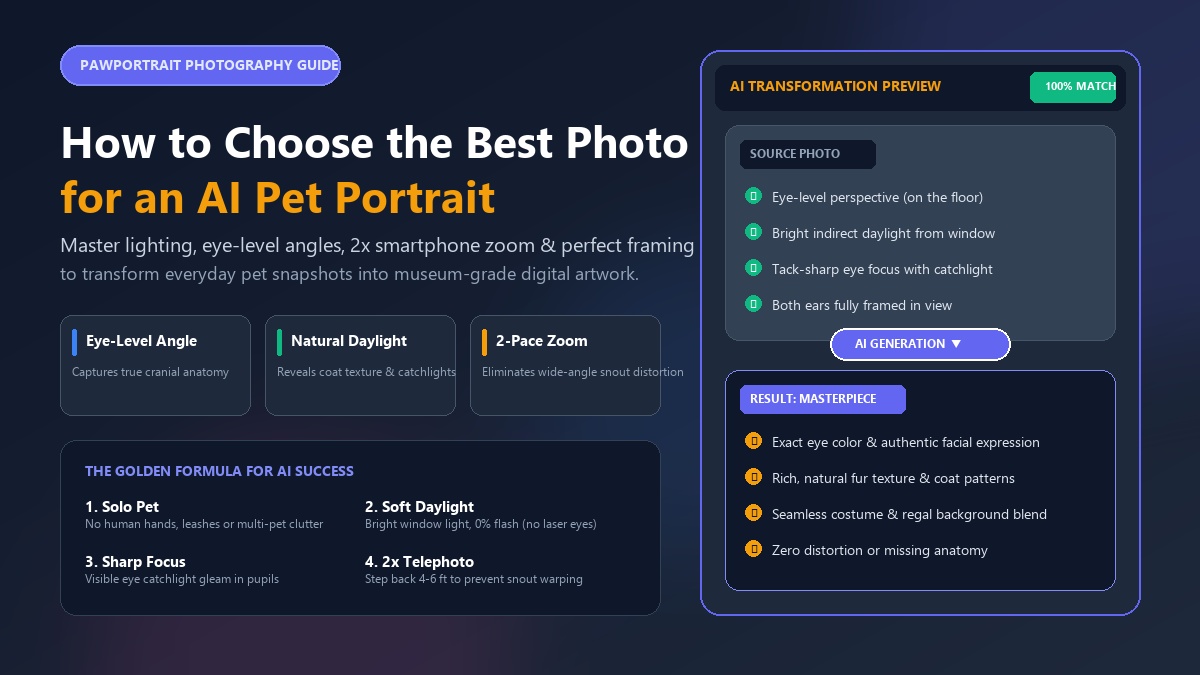
To get the best results from an AI pet portrait generator, choose a solo, eye-level close-up photo taken in soft, natural daylight with tack-sharp focus on your pet's eyes and full framing of their head and ears. Avoid direct flash, harsh overhead sunlight, motion blur, and heavy social media filters that obscure your pet's true fur texture and facial contours.
Every pet parent has a camera roll overflowing with thousands of pet snapshots—from blurry mid-zoomie sprints to sleepy couch cuddles. Yet, when you upload a casual picture to an AI art tool, the resulting portrait can sometimes look distorted, miss your dog's signature floppy ear, or give your cat bizarre glowing eyes. Why does that happen?
Generative AI models do not "guess" what your pet looks like in real life; they rely entirely on the pixel data, light boundaries, and contrast patterns in the source image you provide. When you feed the model a crisp, well-composed photo, the transformation is nothing short of magical. In under 60 seconds, a standard smartphone picture turns into a museum-worthy custom pet portrait from photo or a hilarious, viral personality roast card.
When Sarah first tried generating art for her three-year-old rescue pup, Barnaby, she uploaded a dim, top-down selfie snapped while standing in her kitchen. The AI gave Barnaby an awkward third ear and washed out his rich brindle coat. Frustrated, Sarah took 30 seconds to crouch down by her living room window, held a biscuit beside her phone, and snapped a clear eye-level portrait in natural afternoon light. When she uploaded that new shot to PawPortrait, Barnaby emerged as a breathtaking 18th-century Renaissance general—complete with his exact golden-brown eyes and white chest patch.
Key Takeaways
- Perspective is everything: Always photograph your pet from their eye level rather than looking down from above to maintain natural cranial proportions.
- Lighting makes or breaks the AI: Soft, indirect window daylight reveals individual fur strands and creates lively eye catchlights without flash-induced red-eye.
- The 2-pace rule prevents distortion: Step back 4–6 feet and switch to 2x optical zoom on your smartphone to avoid the bulbous snout effect caused by 1x wide-angle lenses.
- Match posture to the style: Use upright, dignified poses for royal portraits, relaxed postures for watercolor, and funny candid expressions for AI personality roasts.
Why Source Photo Quality Dictates Your AI Pet Portrait
AI art generators use complex neural networks trained on millions of artistic reference images. When you upload a picture of your dog or cat, the system scans facial symmetry, eye shape, muzzle depth, and coat patterns to reconstruct your pet within your chosen artistic aesthetic.
If your source photo suffers from motion blur, grainy indoor shadows, or harsh backlighting, the AI interprets those dark patches as physical anatomical clefts or smooth plastic surfaces. Conversely, a clean, high-resolution source image gives the AI exact structural landmarks.
Traditional custom pet portrait artists often charge $100 to $300 and take three to four weeks to manually paint around flaws in a bad reference photo. In contrast, modern AI platforms like PawPortrait generate instant, high-definition artwork in 20 to 60 seconds. Because the process is automated and promptless, spending just two minutes picking or snapping the right photo guarantees a gallery-worthy masterpiece on your very first try.
The 4 Golden Rules of AI Pet Photo Selection
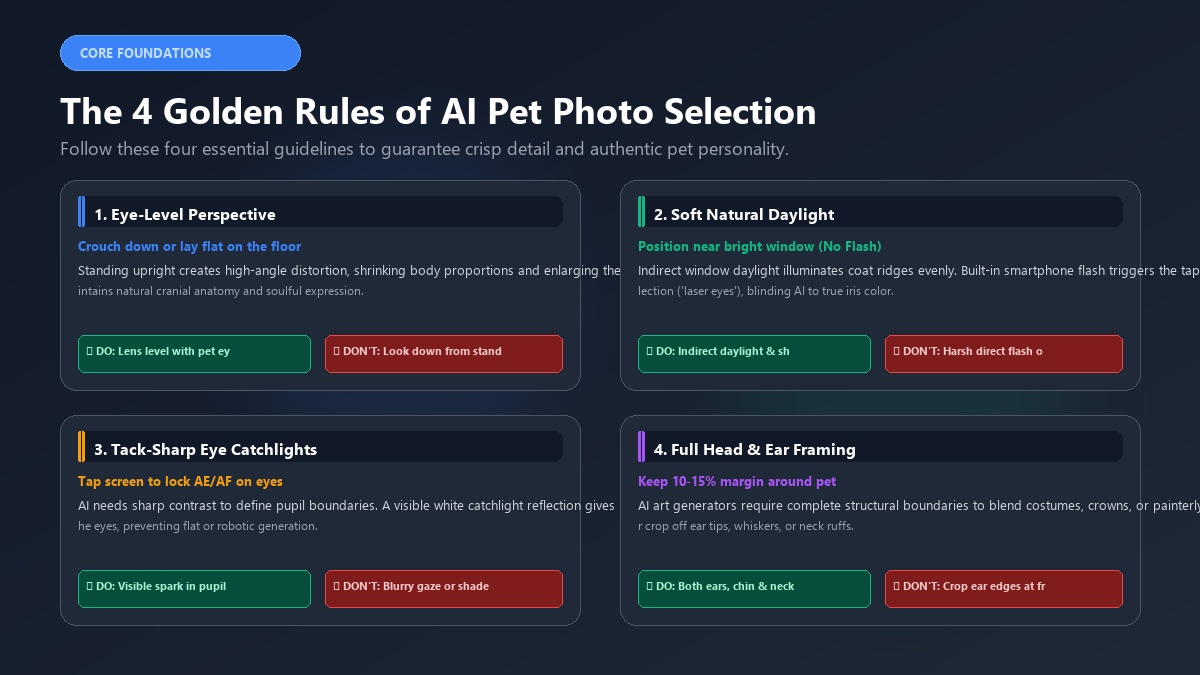
To ensure your pet's unique personality and physical characteristics translate accurately into custom artwork, follow these four foundational rules whenever selecting or shooting reference images.
┌─────────────────────────────────────────────────────────────┐
│                 THE 4 GOLDEN PHOTO RULES                    │
├──────────────────────────────┬──────────────────────────────┤
│ 1. Eye-Level Perspective     │ Crouch down to pet eye level │
│ 2. Soft Natural Daylight     │ Position near bright window  │
│ 3. Tack-Sharp Eye Catchlight │ Tap screen to lock eye focus │
│ 4. Full Head & Ear Framing   │ Never crop ears or whiskers  │
└──────────────────────────────┴──────────────────────────────┘
1. Shoot at Your Pet's Eye Level (Get on the Floor)
The single most common mistake pet parents make is snapping photos while standing upright. Looking down at your dog or cat creates an extreme high-angle perspective that foreshortens their neck, shrinks their body, and makes their forehead look disproportionately large.
Crouch down, sit on the carpet, or lay flat on your belly so your smartphone lens aligns directly with your pet's eyes. This level perspective captures their authentic facial anatomy, creates an intimate emotional connection, and gives the AI a balanced head-and-shoulders composition to build upon.
2. Prioritize Soft, Indirect Daylight (Never Use Flash)
Lighting is the raw data that feeds the AI generator. Bright, indirect natural light—such as daylight streaming through a large window or outdoor shade during early morning or late afternoon—provides even illumination across your pet's entire face.
Never use your smartphone camera's built-in flash. Animals have a reflective layer behind their retinas called the tapetum lucidum, which reflects camera flash back as glowing green, yellow, or white "laser eyes." This reflection blinds the AI diffusion model to your pet's actual iris color and pupil shape. Furthermore, avoid harsh midday sun, which casts dark, jagged shadows under the snout and brow.
3. Ensure Tack-Sharp Focus and Visible Eye Catchlights
The eyes are the soul of any portrait. If your pet's eyes are blurry, out of focus, or shrouded in shadow, the AI will produce flat, lifeless, or warped results.
Before taking a photo, tap your smartphone screen directly on your pet's eyes to lock focus and exposure. Look for a visible catchlight—a tiny white reflection of ambient window light sparkling in the pupil. This tiny gleam provides depth, defines the eye curvature, and signals to the AI exactly where the iris begins and ends.
4. Frame the Full Head, Neck, and Both Ears
AI art engines require complete structural boundaries to place clothing, crowns, or painterly background flourishes around your pet.
Make sure both ears, whiskers, chin, and neck are completely visible within the frame. If one ear is cropped off at the top edge of your picture, the AI cannot invent that missing ear from scratch with 100% accuracy. Leave a comfortable 10% to 15% margin of space around your pet's head so the generator can seamlessly blend edges into styles like watercolor pet portraits or custom dog portraits.
Smartphone Camera Hacks: The 2-Pace Zoom Method
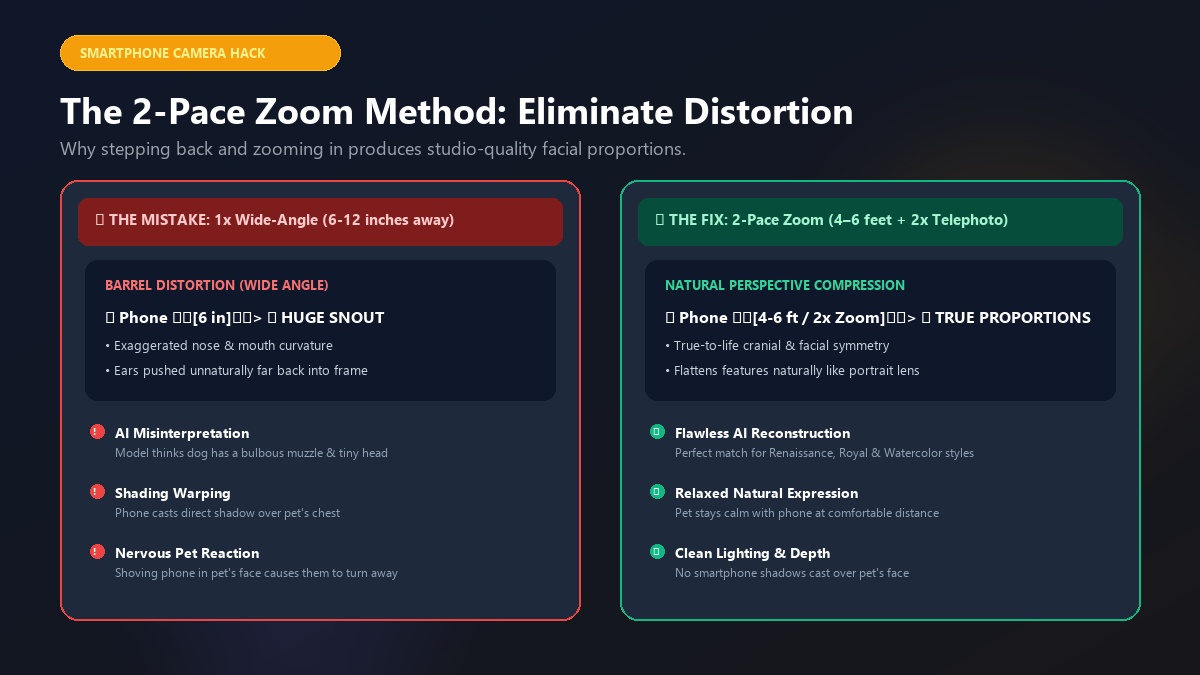
You do not need an expensive DSLR camera to capture flawless source photos. Modern iPhone and Android smartphones are equipped with exceptional camera sensors, provided you configure them properly.
       [Pet] 🐕
         ▲
         │ 4 to 6 Feet (1.5–2 meters)
         ▼
     [Phone] 📱 ──> Switch to 2x or 3x Optical Zoom
The 2-Pace Rule (Eliminate Wide-Angle Snout Distortion)
By default, standard smartphone camera lenses shoot at a wide angle (equivalent to 24mm–26mm on a full-frame camera). If you bring your phone within 6 to 12 inches of your dog's nose, the wide-angle lens creates severe barrel distortion—making the nose appear massive while pushing the ears and eyes far into the background.
To fix this:
- Step back two full paces (about 4 to 6 feet or 1.5 meters away from your pet).
- Switch your camera app from
1xto2xor3xoptical zoom. - Align the frame so your pet's head and chest fill 70% of the screen.
Using optical telephoto zoom compresses facial perspective, flattening features naturally just like a professional portrait studio lens.
Use Burst Mode for High-Energy Pets
Pets are constantly twitching their ears, sniffing, and shifting their gaze. When you press the shutter button once, you risk catching a micro-movement that blurs fine fur details.
On iPhones, drag the shutter button to the left (or hold the volume up button) to activate Burst Mode, capturing 10 to 30 frames per second. On Android devices, hold down the shutter button or swipe down depending on your camera model. Review the sequence afterward and select the single sharpest frame where your pet's gaze is alert and stationary.
The 5-Second Lens Wipe and AE/AF Lock
Smartphones spend their days in pockets and bags, collecting skin oils and dust on the camera glass. A smudged lens causes hazy light blooms and soft focus that ruin AI image processing.
Always wipe your camera lens with a clean microfiber cloth or cotton shirt before shooting. Once in position, press and hold on your pet's eyes on your screen until the AE/AF Lock indicator appears, locking the exposure and focus so rapid head movements do not throw off the shot.
Here is a helpful video breakdown demonstrating how professional pet photographers capture stunning smartphone photos using these simple staging techniques:
https://www.youtube.com/watch?v=pet_phone_photo_secrets
Solving the Dark Fur Dilemma: Black Dogs and "Void" Cats
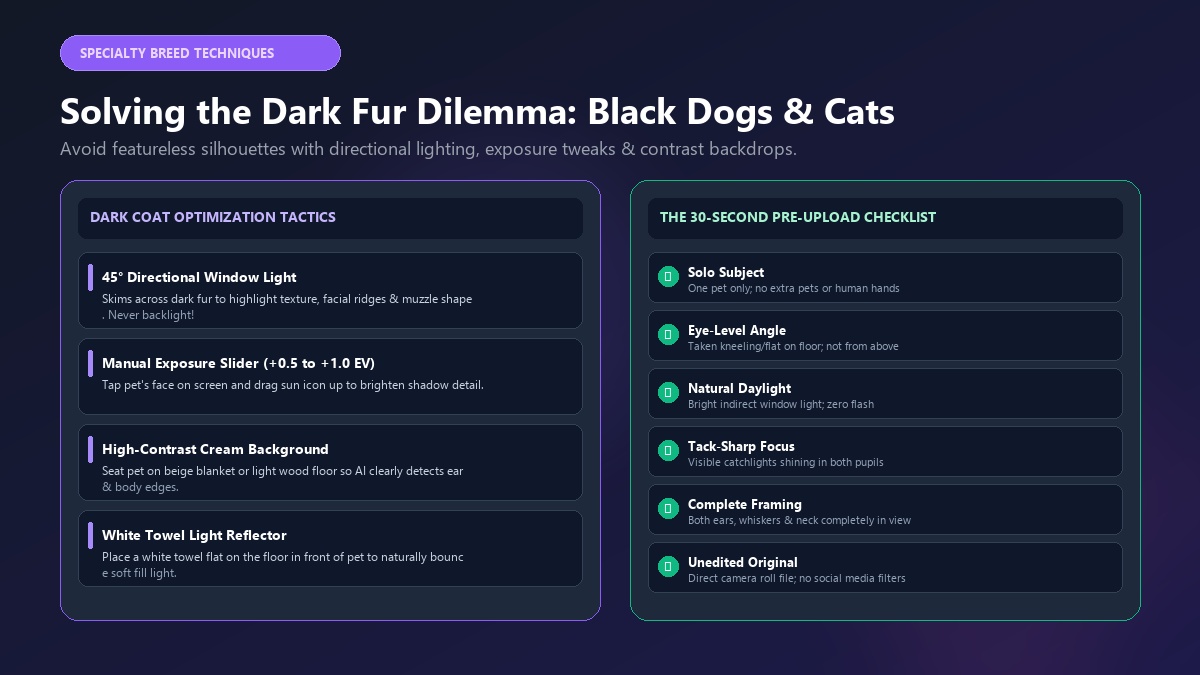
Photographing pets with black or dark brown coats—such as Black Labs, Rottweilers, French Bulldogs, and sleek black cats—is notoriously tricky. Smartphone camera sensors often underexpose dark fur, turning your gorgeous animal into a featureless black silhouette.
┌─────────────────────────────────────────────────────────────┐
│                 DARK COAT PHOTO STRATEGY                    │
├──────────────────────────────┬──────────────────────────────┤
│ Directional Side-Lighting    │ 45° angle window light       │
│ Manual Exposure Slider       │ Tap & slide brightness up    │
│ Contrasting Background       │ Use cream/light backdrops    │
│ Natural Bounce Surface       │ Place white towel below pet  │
└──────────────────────────────┴──────────────────────────────┘
1. Utilize 45-Degree Directional Side-Lighting
Never position a dark-furred pet with a bright window directly behind them, as backlighting creates an impenetrable silhouette. Instead, seat your pet at a 45-degree angle to a bright window. Directional side-lighting skims across the coat, highlighting individual fur ridges, whisker pads, and facial musculature.
2. Adjust Manual Exposure Compensation
When your phone's camera sees a dark subject, it often tries to average out the overall brightness of the scene, either blowing out the background or darkening your pet.
Tap on your dark dog or cat's face on your phone screen to set the focus point, then slide the little sun icon upward by +0.5 to +1.0 EV. This intentionally brightens the shadows, revealing the rich textures and subtle color variations in their dark coat.
3. Choose High-Contrast Backgrounds
If you photograph a black cat on a dark navy sofa or charcoal rug, the AI model cannot detect where the pet's ears end and the furniture begins. Position your pet against a high-contrast background—such as a light beige wall, an oatmeal blanket, or rich green grass.
When Marcus wanted to make an AI portrait of his sleek black Bombay cat, Luna, his first attempt on a dark rug resulted in a muddy black blob with two floating yellow eyes. After reading about contrast, Marcus placed Luna on a light cream linen throw next to a sunlit French door and tapped to brighten the exposure. The resulting portrait captured every delicate whisker and velvet ear contour, turning Luna into a majestic feline empress in PawPortrait's Royal Portrait style.
Matching Your Photo to Your Chosen AI Art Style
Different artistic aesthetics thrive on different photo expressions and body language. Matching your pet's pose to your target style produces the most striking visual outcome.
| AI Art Style | Ideal Photo Posture & Angle | Best Expression & Vibe | Recommended PawPortrait Link |
|---|---|---|---|
| Royal Portrait | Upright seated pose, chest forward, head turned slightly (3/4 angle) | Regal, dignified, proud, calm | Create Royal Portrait |
| Watercolor | Relaxed sitting or laying down, soft ambient window lighting | Gentle, serene, soulful, affectionate | Create Watercolor Art |
| 3D Cartoon & Superhero | Direct front-facing eye contact, perked ears, head tilted | Curious, energetic, heroic, playful | Create 3D Cartoon |
| Cozy Illustration | Snuggled on blanket or couch, warm indoor surroundings | Warm, whimsical, peaceful, content | Create Cozy Art |
| Minimal Studio | Clean headshot, neutral solid wall, sharp studio lighting | Modern, clean, crisp, poised | Create Studio Art |
| AI Personality Roast Card | Candid snapshot: dramatic side-eye, tongue out (blep), silly posture | Goofy, unhinged, judging, mischievous | Generate Roast Card |
How to Pose for Royal and Renaissance Portraits
For the classic aristocratic look—where your pet is adorned in velvet robes, medals, and gilded crowns—a dignified, upright sitting posture works best. Hold a treat slightly above and to one side of the camera to encourage your pet to lift their chin and turn their head at an elegant three-quarter angle.
How to Capture Candids for AI Personality Roasts
If you want to generate a viral AI pet personality roast that roasts your pet's quirky habits, toss formal posing out the window.
The funniest roast cards come from unhinged, candid moments:
- The dramatic "bombastic side-eye" when you tell them it's bath time.
- The sleepy tongue-out "blep" on the couch.
- The desperate, wide-eyed stare while watching you unwrap a slice of cheese.
- The full "sploot" posture on the kitchen tile.
PawPortrait's AI analyzes these unique facial expressions to craft custom titles (like "The Sofa Dictator" or "Certified Treat Inspector"), comedic personality traits, and hilarious roast summaries.
6 Fatal Photo Mistakes That Ruin AI Pet Portraits
Before uploading your photo, double-check that your image is free from these six common pitfalls:
❌ 1. Direct Flash "Laser Eyes"     ──> ✔️ Use soft window daylight
❌ 2. Human Hands Holding Treats   ──> ✔️ Place treats on top of phone case
❌ 3. Heavy Social Media Filters   ──> ✔️ Upload raw, unedited camera photos
❌ 4. Multi-Pet Group Clutter      ──> ✔️ Upload individual solo pet photos
❌ 5. Fast Motion Blurriness       ──> ✔️ Use Burst Mode / 1/500s shutter
❌ 6. Overhead Standing Angle      ──> ✔️ Get down flat on pet eye level
1. The Direct Flash "Laser Eye" Effect
- The Problem: Smartphone flash bounces off the pet's tapetum lucidum, creating unnatural glowing or pitch-black pupils.
- The Fix: Turn off camera flash completely and rely on soft, natural indirect daylight.
2. Human Hands and Leashes Obscuring the Face
- The Problem: Holding a treat near your dog's chin or grabbing your cat's collar introduces human fingers into the frame. The AI may accidentally fuse human skin or fingers into your pet's neck ruff or costume.
- The Fix: Tape a treat or squeaker directly to the top edge of your smartphone case so your hands remain completely out of the frame.
3. Pre-Applied Filters and Heavy Social Media Edits
- The Problem: Instagram, TikTok, and Snapchat filters alter color balance, blur skin/fur textures, and introduce artificial grain.
- The Fix: Always upload the original, unedited photo directly from your camera roll.
4. Group Photos with Multiple Pets
- The Problem: Uploading a photo with two dogs or a dog and a cat confuses AI subject segmentation, leading to blended fur patterns, extra limbs, or deformed ears.
- The Fix: Upload solo portraits of each animal individually. You can generate distinct matching portraits for each pet to display side-by-side in your home gallery.
5. Motion Blur from Quick Head Turns
- The Problem: A sudden head shake or wagging tail smears facial pixels, causing the AI to generate muddy or cartoonishly melted textures.
- The Fix: Ensure bright lighting (which forces your phone to shoot at a fast shutter speed) and use Burst Mode to capture the exact split-second your pet is still.
6. Standing Overhead Angles
- The Problem: Snapping photos while standing tall creates distorted perspective and hides your pet's neck, chest, and body.
- The Fix: Lower yourself to your pet's eye height to maintain true-to-life cranial and body proportions.
The 30-Second Pre-Upload Checklist
Run through this quick checklist before uploading your photo to PawPortrait:
- Solo Subject: Is your pet the only animal or person in the frame?
- Eye-Level Perspective: Was the photo taken at eye level rather than looking down from above?
- Natural Daylight: Is the pet illuminated by soft daylight without harsh shadows or flash reflections?
- Tack-Sharp Eyes: Are both eyes in crisp focus with visible light reflections (catchlights)?
- Complete Framing: Are both ears, whiskers, and chin fully visible without awkward edge crops?
- No Distorting Obstructions: Is the pet's face free of human hands, large leashes, or bulky costumes?
- Unfiltered Original: Is this an original high-resolution file rather than a low-res screenshot or filtered social post?
Frequently Asked Questions
Can I use a screenshot or social media photo of my pet?
While you can upload a screenshot, original high-resolution photos straight from your camera roll produce significantly sharper AI portraits. Screenshots and images downloaded from messaging apps like WhatsApp or Instagram are heavily compressed, stripping away fine fur details and eye clarity.
What should I do if my dog or cat will not sit still?
Enlist a helper or use a high-value squeaky toy held directly behind your smartphone camera lens. Make a novel, high-pitched chirping sound right before snapping to get your pet to perk their ears and look directly into the lens, and hold down Burst Mode to capture 20 rapid frames.
Can I create an AI portrait for a pet who has passed away?
Yes. If you are creating a memorial portrait and cannot take new photos, look through your camera roll for the clearest, brightest close-up available. Avoid blurry thumbnails; instead, select a photo taken in daylight where your pet's face and eyes are clearly recognizable.
Why did my AI portrait change my pet's eye color or ear shape?
AI models identify eye color and ear shape from the contrast and lighting in your photo. If the source image was taken in a dark room or with flash, the model may misinterpret shadow as pigment. Uploading a photo taken in natural window light ensures 100% accurate eye color and ear proportions.
Can I upload a photo with two pets together in the same picture?
It is strongly recommended to upload single-pet photos. Generative AI models perform best when focusing on one subject at a time. To showcase multiple pets, generate individual matching portraits in the same style (e.g., Watercolor or Royal Portrait) and frame them together.
Do I need to write complex text prompts to get good results?
No. Unlike complex tools like Midjourney or Stable Diffusion that require technical prompt engineering, PawPortrait uses a streamlined, zero-prompt interface. You simply upload your single best photo, select your favorite curated style, and the AI handles the rest automatically in 20 to 60 seconds.
Conclusion
Choosing the best photo for an AI pet portrait does not require professional photography gear or hours of effort. By simply getting down on your pet's eye level, using soft indirect window daylight, stepping back with 2x zoom, and locking focus on those expressive eyes, you provide the AI generator with the exact visual detail it needs to create breathtaking art.
Whether you want to celebrate your rescue pup with a majestic custom dog portrait, turn your feline companion into a dreamy watercolor cat portrait, or share a laugh with an AI personality roast card, your perfect masterpiece begins with a great reference photo.
Take a quick look through your camera roll today or spend two minutes snapping a fresh eye-level shot by the window. Then, head over to PawPortrait to upload your photo, preview your artwork with zero commitment, and discover your pet's secret alter-ego in seconds.