PawPortrait Journal
How to Create a Perfect AI Pet Portrait from a Regular Phone Photo | PawPortrait
Aug 27, 2026
“Learn how to create an AI pet portrait from a phone photo in under 60 seconds. Master smartphone camera tips, curated styles, and viral roast cards.”
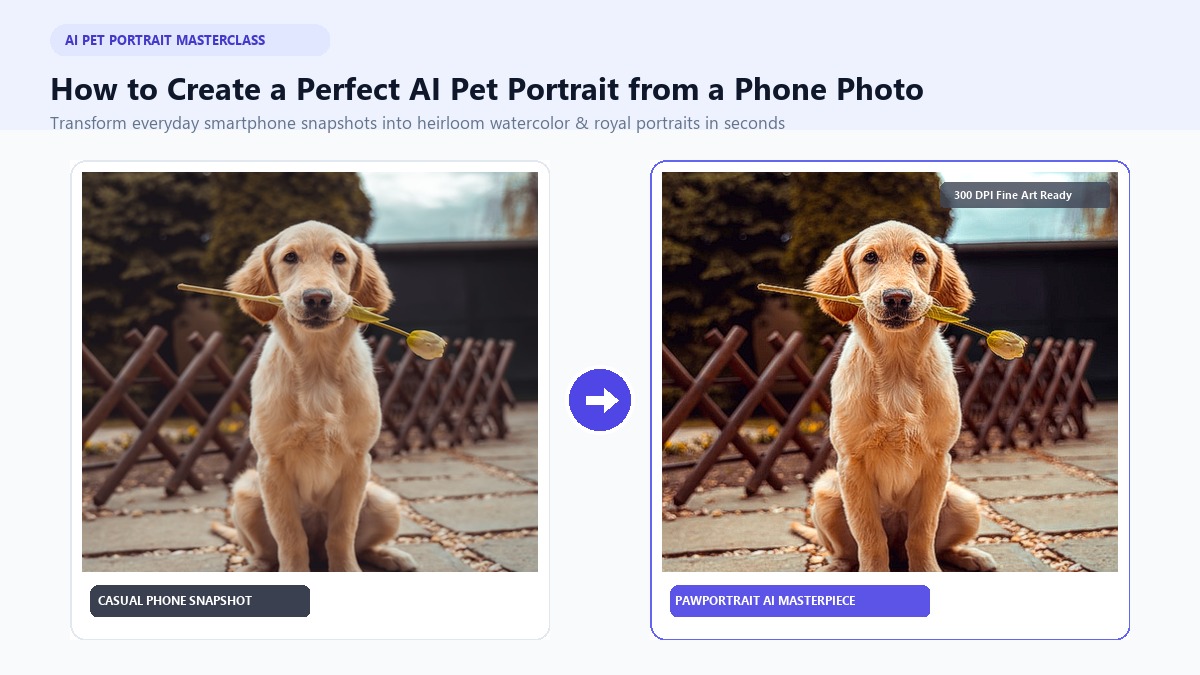
To create an AI pet portrait from a phone photo, upload a clear, well-lit snapshot to a specialized generator like PawPortrait, select your desired art style (such as Watercolor or Royal Portrait), and generate high-resolution artwork in under 60 seconds with zero prompt engineering. You do not need professional photography gear, graphic design skills, or expensive monthly software subscriptions to turn everyday candid pet moments into gallery-worthy digital paintings.
If you are like most pet parents, your smartphone camera roll holds thousands of photos of your dog or cat doing absolutely nothing, sleeping in a sunbeam, begging for cheese, or giving you hilarious side-eye. Yet commissioning a traditional hand-painted portrait can easily cost $80 to $200 and require three to four weeks of waiting.
With modern neural art platforms, you can transform ordinary smartphone snapshots into heirloom-grade wall art or viral personality roasts in seconds. In this guide, you will learn the exact smartphone photography techniques required for crisp AI rendering, how to choose the best curated art styles, and how to avoid the common pitfalls of generic AI generators.
Key Takeaways
- Ditch the 1x Lens: Use 2x or 3x optical zoom from 4–5 feet away at eye level to eliminate smartphone snout distortion.
- Soft Natural Light is King: Position your pet facing an indirect daylight window to capture clear eye catchlights and rich coat textures.
- Zero Prompts Needed: Specialized pet engines like PawPortrait preserve facial fidelity (eye color, patches, whiskers) in one click without complicated text prompts.
- Double the Fun: Beyond fine-art paintings, you can instantly generate formatted AI personality roast cards for social media sharing.
- Print-Ready Clarity: 300 DPI high-resolution digital exports allow seamless printing on 8x10 or 16x20 canvas prints at a fraction of custom studio prices.
5 Golden Rules for Snapping the Best Pet Photo on Your Smartphone
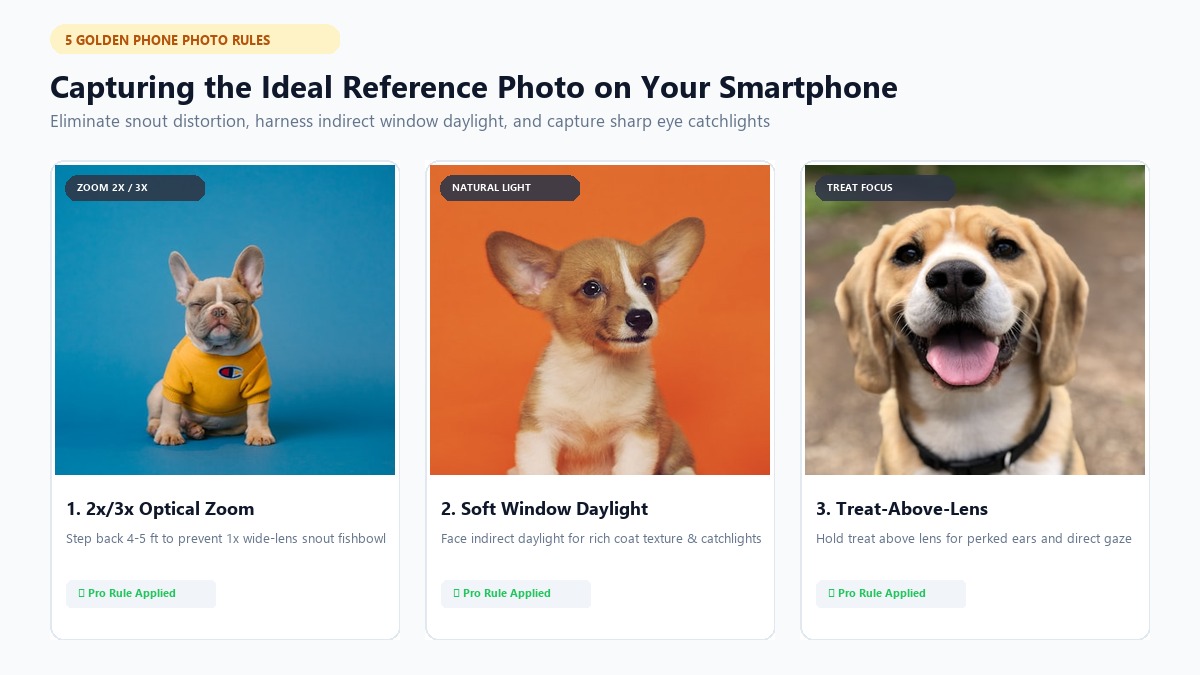
The final quality of your AI portrait directly mirrors the clarity, lighting, and composition of your original phone snapshot. While modern AI models can enhance textures and blend colors, they cannot invent missing anatomical details or correct severe motion blur.
Follow these five practical smartphone shooting rules to capture an ideal reference image on your first try.
1. Avoid 1x Snout Distortion: Step Back and Use 2x/3x Zoom
Most modern smartphones feature a default wide-angle lens (24mm–28mm equivalent). When you hold your phone six inches from your dog or cat's face, the wide lens exaggerates their nose and shrinks their ears, creating a spherical "fishbowl" effect.
Instead of shoving your phone into your pet's face, take two steps back (about four to five feet away). Switch your camera app to 2x or 3x telephoto/portrait mode and crouch down so the camera is level with your pet's eyes. This flattens the perspective, keeps the snout and ears proportionally accurate, and provides the AI with true facial geometry.
❌ Common Mistake: 1x wide lens held 8 inches away → Bulbous nose, tiny ears, warped head
✅ Pro Technique: 2x/3x optical zoom from 4 feet away at eye level → Natural studio proportions
2. Master Indirect Daylight and The "Catchlight" Eye Rule
Lighting is the single most important factor in pet photography. Direct camera flashes trigger the tapetum lucidum, the reflective layer behind animal retinas, resulting in eerie neon green or silver glare that ruins eye color.
Instead, position your pet facing a large window during the day, or head outside during an overcast morning or late afternoon golden hour. Look into your pet's eyes on your phone screen: you should see a bright reflection of the light source, known as a catchlight. Catchlights provide clear iris boundaries, ensuring your custom pet portraits feature vibrant, soulful eyes rather than dark, hollow sockets.
3. The "Treat-Above-Lens" Secret for Alert Ears and Expression
A great pet portrait captures your animal's unique spirit, whether that means perked ears, a gentle head tilt, or a regal resting face.
To lock your pet's attention without causing them to jump toward the camera:
- Hold a high-value treat (like freeze-dried chicken or cheese) directly against the top edge of your smartphone.
- Make a soft, unfamiliar sound, such as a quiet whistle or a gentle click of your tongue, right before pressing the shutter.
- Keep your phone in Burst Mode or take 4–5 quick continuous shots to freeze any micro-movements.
4. How to Photograph Black Dogs and "Void" Cats
Pets with solid black or very dark coats present unique challenges for smartphone camera sensors. Indoor shadows frequently collapse dark fur into a flat silhouette, leaving the AI model with zero texture data to paint individual brushstrokes.
To photograph dark-coated pets successfully:
- Always shoot in bright, indirect natural daylight.
- Tap your phone screen directly on your pet's dark cheek or muzzle to lock exposure.
- Slightly drag the yellow exposure slider upward until individual fur strands and whiskers become visible in the preview.
5. Keep the Entire Head, Ears, and Neck in the Frame
AI style transfer models need complete boundary lines to seamlessly merge your pet into royal robes, watercolor splashes, or comic book armor. Ensure neither ear tip is cropped by the edge of the frame, and leave at least two to three inches of breathing room around your pet's chest and neck.
Why Generic AI Prompts Fail for Pet Art (and Why Specialized Engines Win)
Many pet owners attempt to use general text-to-image AI tools like Midjourney or DALL-E 3, only to end up frustrated. While these tools excel at concept art, they are fundamentally designed to create new synthetic subjects from text descriptions, not preserve your specific pet's identity.
Typical Midjourney Prompt Experience:
Prompt: "Oil painting of my brown Australian Shepherd mix with one blue eye and floppy left ear"
Result: A generic purebred Australian Shepherd with two brown eyes and straight ears.
The Likeness Problem in Open-Ended AI Models
When you prompt a generic AI tool, it draws from millions of stock photos across the web. If your pet has asymmetrical patches, heterochromia (different colored eyes), a notched ear, or a distinctive chest blaze, general models smooth out these "irregularities" into a generic breed average.
Furthermore, crafting the right prompt requires extensive technical syntax, specifying lighting rigs, rendering engines, and aspect ratios. If you make a small syntax error, you burn credits on distorted paws or strange artifacts.
The Specialized Solution: True Facial Preservation
In contrast, specialized engines like PawPortrait use purpose-built neural architectures trained specifically on canine and feline facial anatomy.
┌────────────────────────────┬─────────────────────────────┬────────────────────────────┐
│ Feature / Capability │ Generic AI (Midjourney/DALL-E)│ PawPortrait Pet Engine │
├────────────────────────────┼─────────────────────────────┼────────────────────────────┤
│ Setup Requirement │ Discord / Complex Prompts │ 1-Click Browser Upload │
│ Pet Likeness Preservation │ Poor (Generic Breed Stock) │ Exact (Eye & Coat Fidelity)│
│ Time to Generate │ 2–5 minutes per iteration │ 20–60 Seconds │
│ Pricing Model │ $10–$60/mo Subscription │ $4.99 Pay-As-You-Go Packs │
│ Bonus Features │ None │ AI Personality Roast Cards │
│ Technical Skill Required │ High (Prompt Engineering) │ Zero (Select Style & Go) │
└────────────────────────────┴─────────────────────────────┴────────────────────────────┘
Mini-Story: Milo's Blue Eye When Sarah tried generating a portrait of Milo, her rescue Australian Shepherd mix, in an open-source AI app, every result gave Milo two brown eyes and erased the distinctive white patch on his nose. By switching to a dedicated pet portrait engine, the model isolated Milo's actual pixel geometry, preserving his ice-blue left eye and signature muzzle marking in a breathtaking custom dog portrait on the very first try.
Step-by-Step Tutorial: Creating Your AI Pet Portrait in Under 60 Seconds
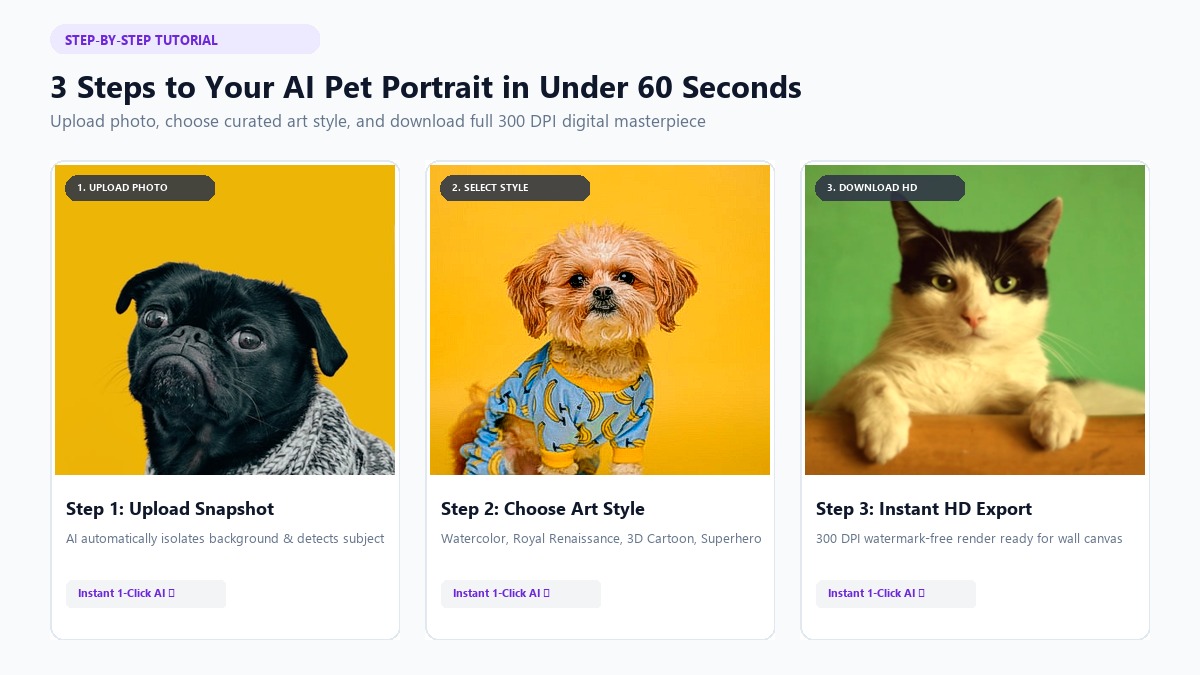
Turning your smartphone photo into a custom artwork on PawPortrait is straightforward and requires just three quick steps.
Step 1: Upload Phone Photo ──► Step 2: Pick Artistic Style ──► Step 3: Instant HD Export
Step 1: Upload Your Clean Pet Snapshot
Open the PawPortrait Studio on your smartphone or desktop browser. Select a clear, high-resolution photo (JPG, PNG, or WEBP up to 10MB) from your camera roll. The platform's smart subject detector will automatically center your pet and isolate the background.
Step 2: Choose Your Desired Artistic Style
Select from six curated styles handcrafted specifically for pet portraits:
- Watercolor Pet Portrait: Soft, delicate pastel washes with authentic watercolor paper textures and elegant paint bleeds. Ideal for modern living room decor and gentle memorials.
- Royal Portrait: 18th-century aristocratic oil painting aesthetic featuring ornate gold epaulets, velvet robes, and regal crowns. Perfect for funny statement art.
- 3D Cartoon Character: Vibrant modern animated movie aesthetic with expressive, oversized eyes and warm cinematic lighting.
- Superhero Pet: Dynamic comic book armor, glowing highlights, and heroic capes tailored for energetic dogs and fearless felines.
- Cozy Storybook: Warm earthy tones and whimsical illustrated lines that fit cozy home aesthetics and children's nurseries.
- Minimal Studio: Clean, contemporary studio lighting with solid, modern backdrops suited for mobile wallpapers and desk frames.
Step 3: Generate and Download Your High-Resolution Art
Click Generate. In 20 to 60 seconds, your custom portrait renders in full definition. You can download the watermark-free image directly to your device, ready for digital sharing or professional canvas printing.
For visual creators who prefer step-by-step video walkthroughs of digital art setups and mobile photo framing, authoritative guides such as YouTube's Custom AI Pet Art Tutorials offer additional framing demonstrations.
Beyond Fine Art: Unlocking Your Pet's Alter-Ego with AI Personality Roast Cards
While classic oil paintings and watercolors celebrate your pet's beauty, every pet parent knows that animals also possess outrageous, hilarious personalities.
To celebrate those quirky behaviors, funny pet portraits & roasts combine facial expression analysis with witty AI profiling to create viral personality roast cards.
┌────────────────────────────────────────────────────────┐
│ PAWPORTRAIT PERSONALITY ROAST │
│ Name: Winston │
│ Archetype: The Chief Snack Inspector │
│ │
│ • 94% chance of pretending he didn't hear his name │
│ • 100% chance of teleporting when cheese wrapper crinkles│
│ • Secret Weakness: The sound of the robotic vacuum │
│ • Danger Level: Extremely high around dropped popcorn │
└────────────────────────────────────────────────────────┘
How the Personality Roast Generator Works
When you upload your dog or cat's photo to the roast engine, you can enter their name, select a tone (Funny, Savage, or Cute), and add optional trait tags like "food thief," "velcro dog," or "couch dictator."
The AI analyzes your pet's facial expression, whether it's a suspicious squint or an innocent wide-eyed stare, and outputs a formatted, social-ready card (optimized for Instagram Stories and TikTok).
Mini-Story: Winston the French Bulldog Mark uploaded a photo of his French Bulldog, Winston, looking intensely at a slice of pizza. Selecting the "Savage" roast tone, PawPortrait generated a card crowning Winston "The Heavy-Breathing Tax Collector" with a bullet point noting: "Has never contributed to rent; demands 25% of every sandwich." Mark shared the card in his family group chat and Reddit, where it quickly racked up hundreds of laughs and shares.
How to Print, Frame, and Display Your AI Pet Artwork
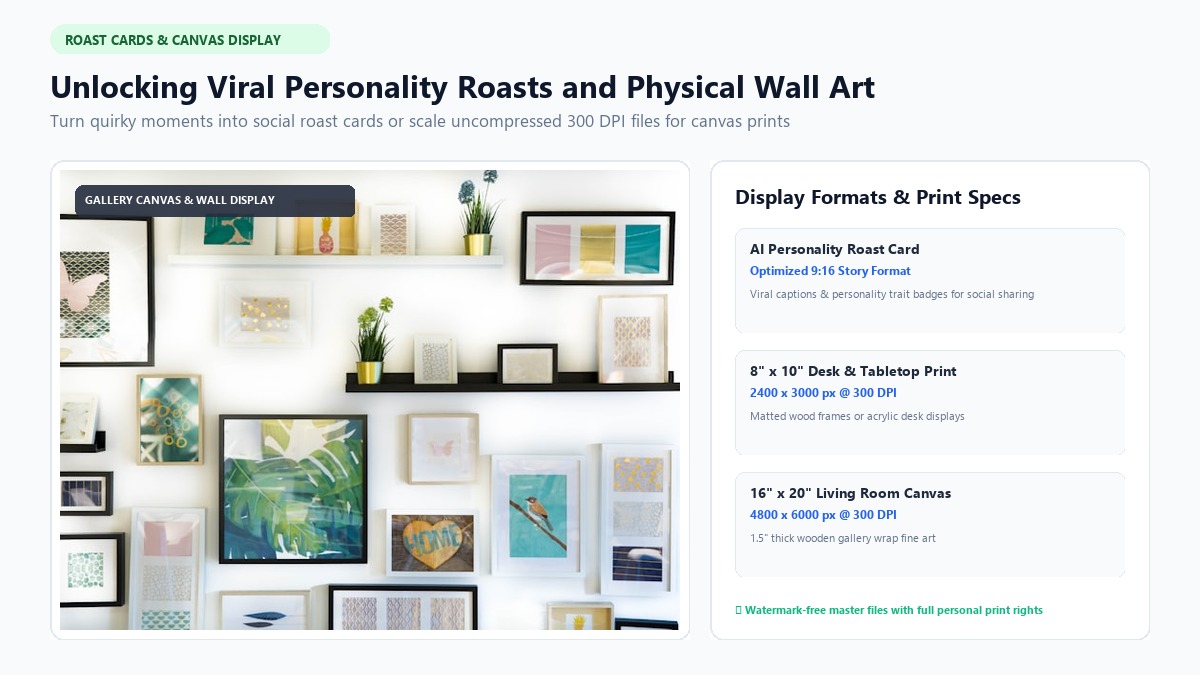
Once you have downloaded your high-resolution portrait from PawPortrait, you have full freedom to display it in multiple physical and digital formats. Because PawPortrait provides uncompressed, high-DPI digital files, you are never locked into expensive proprietary print fulfillment.
1. High-Quality Canvas and Giclée Prints
To print your pet portrait on physical canvas or fine-art archival paper:
- Target Resolution: 300 DPI (dots per inch) ensures razor-sharp details without pixelation.
- Standard Ratios: The default 4:5 portrait ratio scales cleanly to classic frame dimensions, including 8"x10", 16"x20", and 24"x30".
- Print Services: Upload your downloaded file to local print shops or online services such as Shutterfly, Printify, or Canvas Champ.
2. Custom Mugs, Pillows, and Holiday Greeting Cards
The clean background isolation of styles like Minimal Studio or Watercolor makes them exceptionally versatile for custom merchandise. You can place your pet's regal portrait on holiday cards, ceramic coffee mugs, or tote bags for memorable gifts.
3. High-Definition Lock Screen Wallpapers
Crop your portrait to a 9:16 or 19.5:9 aspect ratio in your phone's native photo editor to create a custom wallpaper that showcases your pet every time you unlock your device.
Frequently Asked Questions
Can I create an AI pet portrait from an old or slightly grainy photo?
Yes. Modern AI pet portrait generators can enhance and re-texture older snapshots as long as your pet's basic facial features, such as eyes, nose, and ear shape, are clearly discernible. Avoid photos with extreme motion blur or heavy pixelation for best results.
How does the AI handle multi-colored coats and unique markings?
Dedicated pet AI platforms analyze facial symmetry and color boundaries to preserve specific coat patterns, chest blazes, and multi-colored eyes (heterochromia). For pets with distinct markings, ensure your input photo is evenly lit so the model accurately detects all color transitions.
Do I need to write complex prompts or have graphic design experience?
No prompt engineering is required. Platforms like PawPortrait feature one-click curated styles (including Watercolor, Royal Portrait, 3D Cartoon, Superhero, Cozy Illustration, and Minimal Studio). You simply upload your image, select a style button, and let the AI generate the portrait in 20 to 60 seconds.
Are my uploaded pet photos private and secure?
Yes. On PawPortrait, your photos are processed securely via encrypted cloud pipelines solely to generate your requested artwork. Your personal pet images are never sold, published publicly, or used to train open public foundation models.
How much does it cost to make an AI pet portrait?
Unlike mobile apps that force users into recurring weekly subscriptions of $9.99/week, PawPortrait uses transparent, non-expiring pay-as-you-go credit packs. Starter packs begin at just $4.99 for 8 credits, allowing you to generate custom portraits and personality roasts for under $0.65 per creation.
Conclusion
Creating a stunning, gallery-worthy portrait of your beloved dog or cat no longer requires expensive art commissions or frustrating prompt engineering. By applying a few simple smartphone photography tricks, stepping back with 2x zoom, capturing natural window light, and framing your pet at eye level, you provide the AI with the exact details needed for a flawless render.
Whether you want a timeless watercolor pet portrait for your living room wall, a regal 18th-century royal portrait as a personalized gift, or a hilarious AI personality roast card to share with friends, you can create it all in seconds.
Your 3-Step Action Plan:
- Snap or Select Your Photo: Pick a bright, eye-level photo with perked ears and clear catchlights.
- Choose Your Favorite Style: Head to the PawPortrait Creation Studio and pick from 6 curated art styles or the personality roast engine.
- Download and Enjoy: Export your watermark-free, high-resolution artwork in under 60 seconds.
Ready to see your pet transformed into fine art? Create your custom pet portrait on PawPortrait today and discover your pet's artistic alter-ego.