PawPortrait Journal
How to Choose the Best Photo for an AI Pet Portrait: The Complete Guide
Aug 31, 2026
“Learn how to choose the best photo for an AI pet portrait with expert tips on lighting, eye-level angles, 2x zoom settings, and expression matching.”
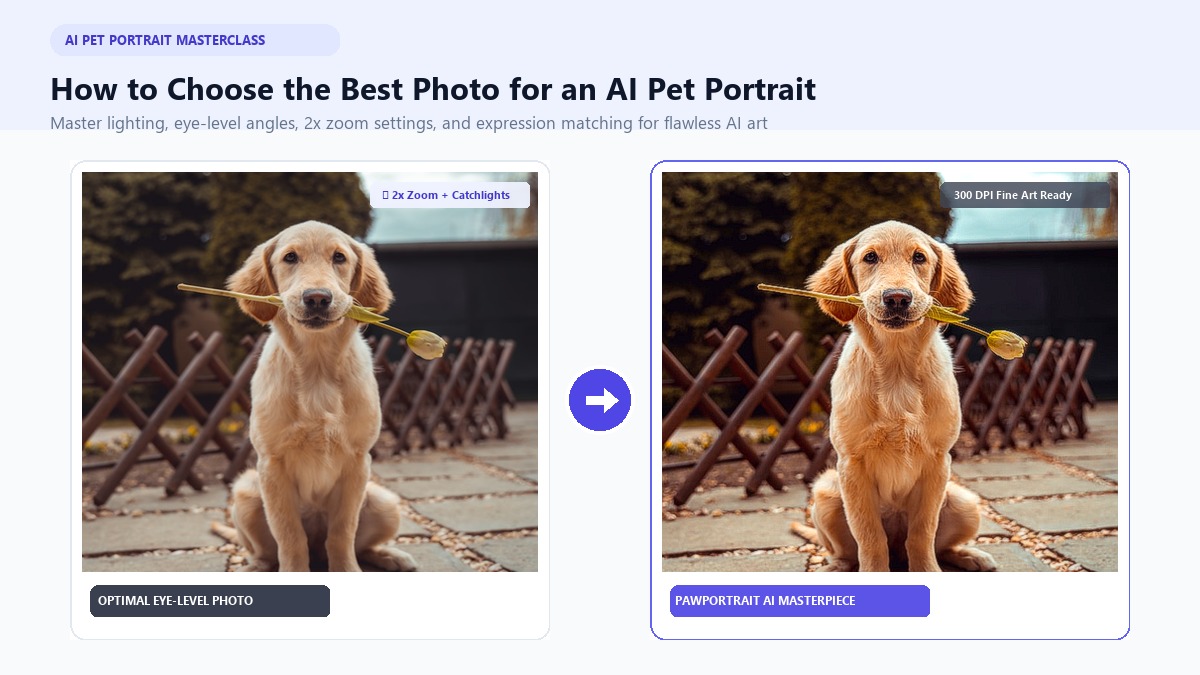
To choose the best photo for an AI pet portrait, select a crisp, evenly lit close-up taken at your pet's eye level from 4 to 6 feet away using your smartphone's 2x optical zoom, ensuring clear catchlights in both eyes, sharp fur texture, and no harsh flash or cut-off ears.
Every pet parent dreams of seeing their beloved dog or cat immortalized as a gallery-worthy masterpiece. Whether you want a regal Renaissance monarch in velvet robes, a dreamy pastel watercolor painting, or a viral AI personality roast card, modern artificial intelligence makes it possible in under 60 seconds. Yet many pet owners upload a quick snapshot only to receive an image with distorted paws, weirdly stretched snouts, or dull, lifeless eyes.
The secret isn't complicated prompt engineering—it lies entirely in the reference photo you upload. When Sarah uploaded a casual selfie of her rescue Beagle, Buster, snapped from standing height with a wide smartphone lens, the AI rendered Buster with an elongated, alligator-like nose and mismatched floppy ears. After she stepped back four feet, crouched to Buster's eye level, and captured a 2x zoom portrait near her living room window, the AI pet portrait generator produced a breathtaking royal oil painting that now hangs framed in her foyer.
With a few quick adjustments to your lighting, distance, and camera angle, you can capture reference photos that guarantee flawless, expressive AI artwork every single time. Here is your definitive masterclass on how to choose and shoot the perfect pet photo.
Key Takeaways
- The 2x Zoom Rule: Never shoot closer than 4 feet with a default 1x lens; switch to 2x or 3x zoom to prevent bulbous "Pinocchio snout" distortion.
- Eye-Level Perspective: Always crouch down to your pet's eye height to preserve natural facial anatomy and capture genuine emotional connection.
- Soft Indirect Daylight: Position your pet at a 45-degree angle near a large window to highlight fur texture without harsh flash reflections.
- Style-Matched Expressions: Pair calm poses with Renaissance styles, alert gazes with Watercolors, and goofy or chaotic side-eyes with AI roast cards.
Why Photo Quality Dictates AI Portrait Output
Artificial intelligence diffusion models do not "imagine" your pet from scratch. Instead, modern generative vision models analyze the digital pixel patterns, edge contrast, color histograms, and facial landmark coordinates present in your upload. The AI calculates key anatomical points: the distance between the pupils, the ridge of the nasal bridge, the curvature of the ear leather, and the subtle shading of the muzzle.
+-------------------------------------------------------------+
|               HOW AI READS YOUR PET PHOTO                   |
+-------------------------------------------------------------+
|  Input Photo Detail        ->  AI Interpretation            |
|  ------------------            -----------------            |
|  Crisp Eye Catchlights     ->  Vibrant, Lifelike Iris Depth |
|  45° Window Lighting       ->  Rich 3D Fur Strands & Volume |
|  Eye-Level Flat Planes     ->  Accurate Breed Proportions   |
|  Harsh Direct Flash        ->  Warped Colors & Pupil Flare  |
|  1x Ultra-Close Lens       ->  Distorted Fish-Eye Snout     |
+-------------------------------------------------------------+
When an uploaded image is blurry, heavily compressed, or obscured by harsh shadows, the AI algorithm is forced to guess what those missing pixels should look like. In AI terminology, this leads to hallucinations—such as extra toes, blended fur colors, or distorted facial features that fail to capture your pet's true likeness.
Conversely, when you supply a high-clarity reference photo with crisp edge separation, the AI effortlessly maps your pet's authentic facial geometry into your chosen artistic medium. High-end platforms like PawPortrait allow you to turn pet photo into art across curated styles like Watercolor, Royal Renaissance, and 3D Cartoon without typing a single line of complex code.
The 5 Golden Rules for the Perfect AI Pet Portrait Photo
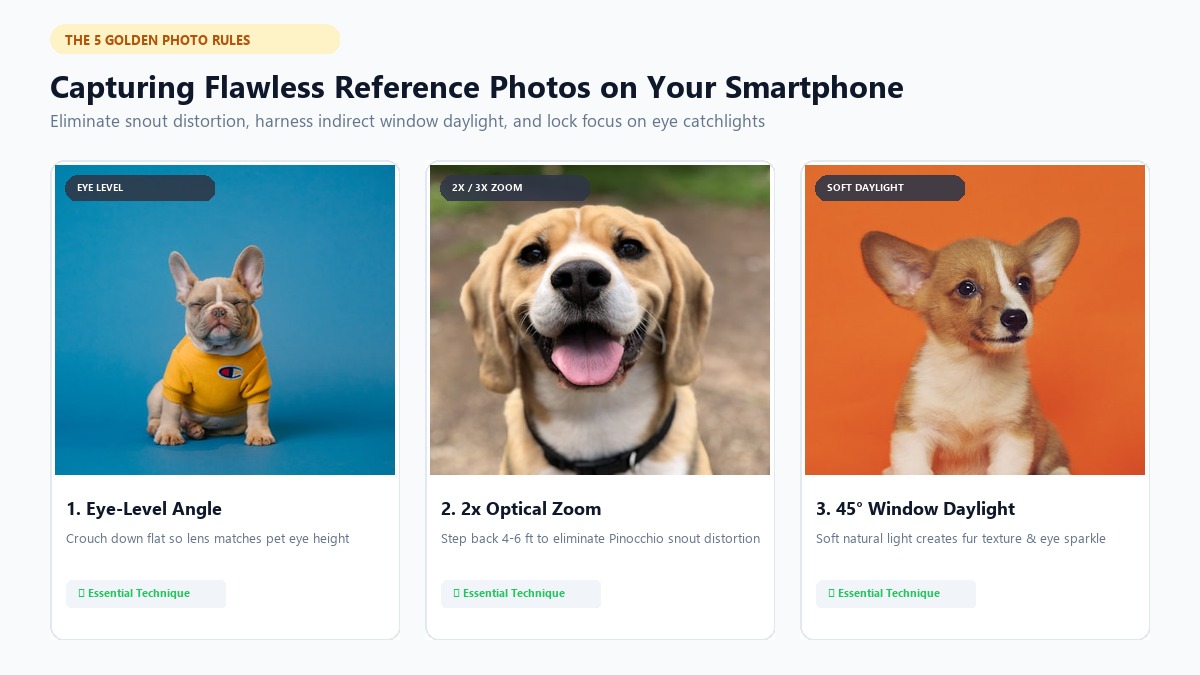
Getting a studio-quality reference shot does not require an expensive DSLR camera or professional studio strobes. Your existing iPhone or Android smartphone has all the optical hardware needed when you follow these five fundamental rules.
   [Window Light]  ->  Soft Natural Rays
          \
           \  (45° Angle)
            v
     [ Your Pet ]  <======  [ Smartphone at 2x Zoom ]
      (Eye Level)           (4-6 Feet Distance + Treat on Top)
1. Get Down to Your Pet's Eye Level
The most common mistake pet owners make is standing upright and pointing their smartphone downward at a dog or cat sitting on the floor. This steep top-down angle severely compresses your pet's neck, distorts their body proportions, and makes their forehead look disproportionately large.
Kneel, sit, or lie flat on your stomach so your smartphone camera lens is perfectly level with your pet's eyes. An eye-level perspective creates an intimate, dignified focal plane that highlights the emotional soul of your animal companion.
2. Use the "2x Zoom" Secret to Banish Distorted Snouts
Standard smartphone main lenses have an ultra-wide focal length (equivalent to 24mm–26mm on a full-frame camera). If you bring your phone within 6 to 12 inches of your pet's face to get a close-up, perspective distortion creates a bulbous, fish-eye effect commonly known as "Pinocchio snout."
+-------------------------------------------------------------------------+
|                  LENS PERSPECTIVE COMPARISON                            |
+-------------------------------------------------------------------------+
|  Distance & Setting     | Visual Result on Pet Face                     |
|  ------------------     | -------------------------                     |
|  1x Lens (6 inches away)| Giant nose, tiny pushed-back ears, distorted  |
|  2x/3x Lens (5 ft away) | Natural facial planes, accurate breed anatomy |
+-------------------------------------------------------------------------+
To achieve flattering, lifelike proportions:
- Step back 4 to 6 feet from your pet.
- Tap the 2x or 3x optical zoom button on your smartphone camera app (or switch to Portrait Mode).
- Frame your pet's head, neck, and upper chest tightly in the viewfinder.
This optical compression flattens facial planes naturally, ensuring your pet's snout, eyes, and ears remain in perfect anatomical proportion.
3. Rely on Soft, Indirect Natural Light (Never Direct Flash)
Lighting is the single most critical factor for rendering lifelike fur and vibrant eyes. Always turn off your camera flash. Direct smartphone flash flattens delicate fur contours and triggers tapetum lucidum reflection—that eerie neon green or red glare in animal pupils that confuses AI vision models.
Instead, place your pet indoors approximately 3 to 5 feet away from a large window during the morning or late afternoon. Position your pet so the light strikes their face at a 45-degree angle. This gentle directional daylight illuminates individual coat hairs and casts soft, natural shadows that give the portrait dimensional depth. If you are shooting outdoors, choose an overcast day or shoot in open shade during the "golden hour" right before sunset.
4. Ensure Sharp Focus on the Eyes and Catchlights
The eyes are the emotional centerpiece of any portrait. When taking your photo, tap your smartphone screen directly over your pet's eyes to lock auto-focus and exposure.
Look closely for "catchlights"—the crisp white pinpoints of reflected light visible on the surface of your pet's corneas. Catchlights add vital sparkle and depth to the eyes. An image without catchlights produces dark, flat eyes that look artificial in digital paintings.
5. Keep the Framing Complete and Clutter-Free
Ensure your pet's entire head is comfortably contained within the frame. Avoid accidentally clipping off the tips of their ears, whiskers, or lower jaw. If you plan to generate a themed portrait (such as a regal royal general or superhero suit), remove thick harness straps, bulky sweaters, or neon bandanas unless you specifically want those accessories incorporated into the artwork.
A simple, uncluttered background—like a neutral wall, hardwood floor, or grassy lawn—helps the AI cleanly separate your pet's silhouette without color bleeding into the final painting.
The Smartphone Photoshoot Cheat Sheet
To capture an exceptional reference shot in less than five minutes, use this practical checklist:
| Step | Action | Pro Tip |
|---|---|---|
| 1. Lighting | Position near an indirect sunlit window | Turn off indoor ceiling lights to avoid yellow color casts |
| 2. Distance | Stand 4 to 6 feet back | Switch smartphone camera to 2x or 3x optical mode |
| 3. Angle | Lower phone to pet's eye height | Rest your elbows on the floor for steady camera stabilization |
| 4. Attention | Hold a high-value treat on top of your phone | Place the treat touching the camera lens for direct eye contact |
| 5. Capture | Hold down the shutter for Burst Mode | Capture 10–15 frames in 2 seconds to catch perked ears |
If your dog or cat tends to look away the moment you raise your phone, make a novel sound—such as a quiet whistle, a soft bird chirp, or a crinkling snack wrapper—just as you press the shutter.
Solving Tricky Challenges: Black Pets, Active Animals, and Nervous Companions
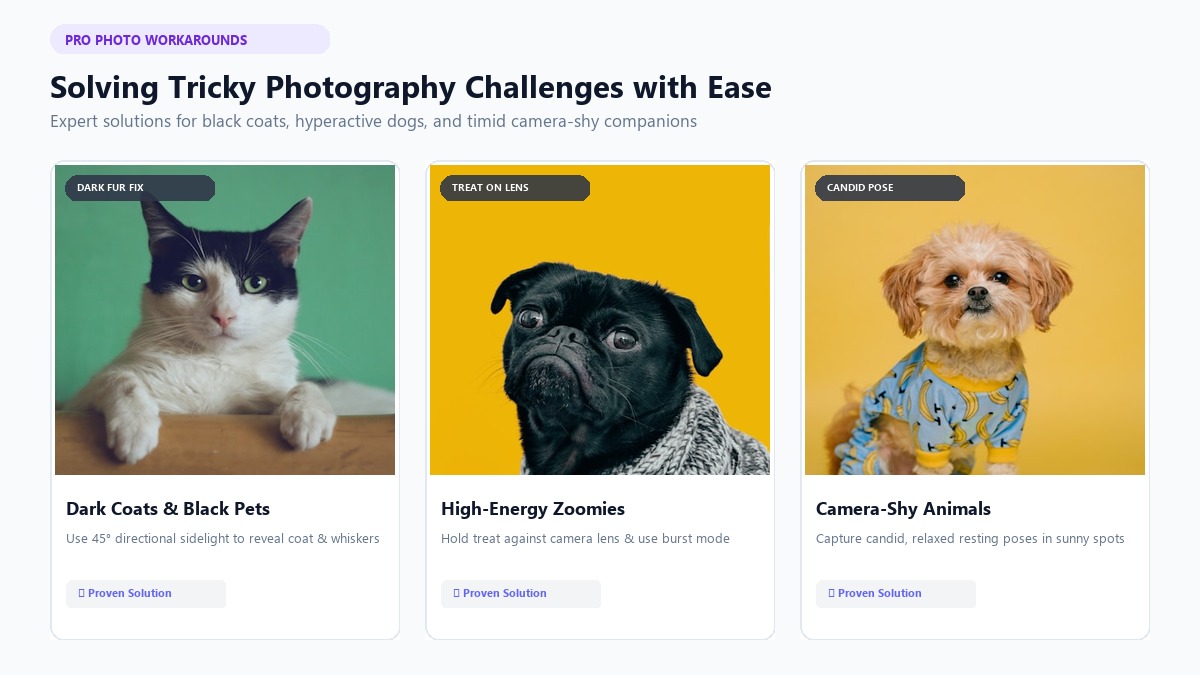
Not all pets are cooperative studio models. Certain coat colors and temperaments present unique photographic challenges that require specific techniques.
+--------------------------------------------------------------------+
|                  PET PHOTOGRAPHY CHALLENGE MATRIX                  |
+--------------------------------------------------------------------+
| Challenge            | Root Problem          | Proven Solution     |
| ---------            | ------------          | ---------------     |
| Black Dogs & Cats    | Sensor underexposure  | 45° window sidelight|
| High-Energy Zoomies  | Motion blur           | Burst mode + treat  |
| Camera-Shy Animals   | Phone lens aversion   | Candid resting shot |
+--------------------------------------------------------------------+
Photographing Black Dogs and "Void" Cats
Dark coats frequently turn into featureless black silhouettes on digital sensors because standard camera meters average out high contrast scenes. To capture crisp texture on black or dark brindle animals:
- Use Directional Sidelight: Position your pet beside a sunlit window so the light grazes the side of their head. This creates subtle silver, chocolate, and grey highlights along the jawline, brows, and whiskers.
- Adjust Exposure Manually: Tap your pet's face on your phone screen and drag the small yellow sun icon upward slightly to brighten shadow details without blowing out the highlights.
- Contrast Backgrounds: Avoid photographing a black cat on a dark couch or black rug. Place a light beige, cream, or pastel blanket behind them to establish clean edge contrast.
For cat parents who want dedicated tips, explore our guide to custom cat portraits to see how lighting enhances feline expressions.
Managing Energetic Dogs with the "Cheese-on-the-Lens" Hack
If your dog cannot sit still for more than three seconds, do not attempt a photoshoot right after they wake up from a nap. Take them on a brisk 15-minute walk first to burn off nervous energy.
Once they are calm, hold a piece of string cheese, hot dog, or their favorite squeaky toy directly against the top edge of your phone casing. Your dog will lock their gaze straight down the lens barrel with ears fully perked. Use burst shooting mode to snap a dozen photos in rapid succession, then pick the sharpest frame where their mouth is relaxed and eyes are bright.
Dog lovers can browse hundreds of inspirational examples in our gallery of custom dog portraits.
Photographing Timid or Camera-Shy Animals
Some pets become visibly stressed when a phone is thrust into their face. Signs of discomfort include pinned-back ears, excessive lip licking, whites of the eyes showing (whale eye), or turning their head away.
Never force a stressed pose. Instead, photograph your pet while they are happily relaxing in their favorite sunny spot on the sofa or rug. Candid, resting poses often produce the sweetest, most authentic portrait paintings because the animal's facial muscles are naturally soft and serene.
Matching Your Pet's Photo Expression to Your Chosen Artwork Style
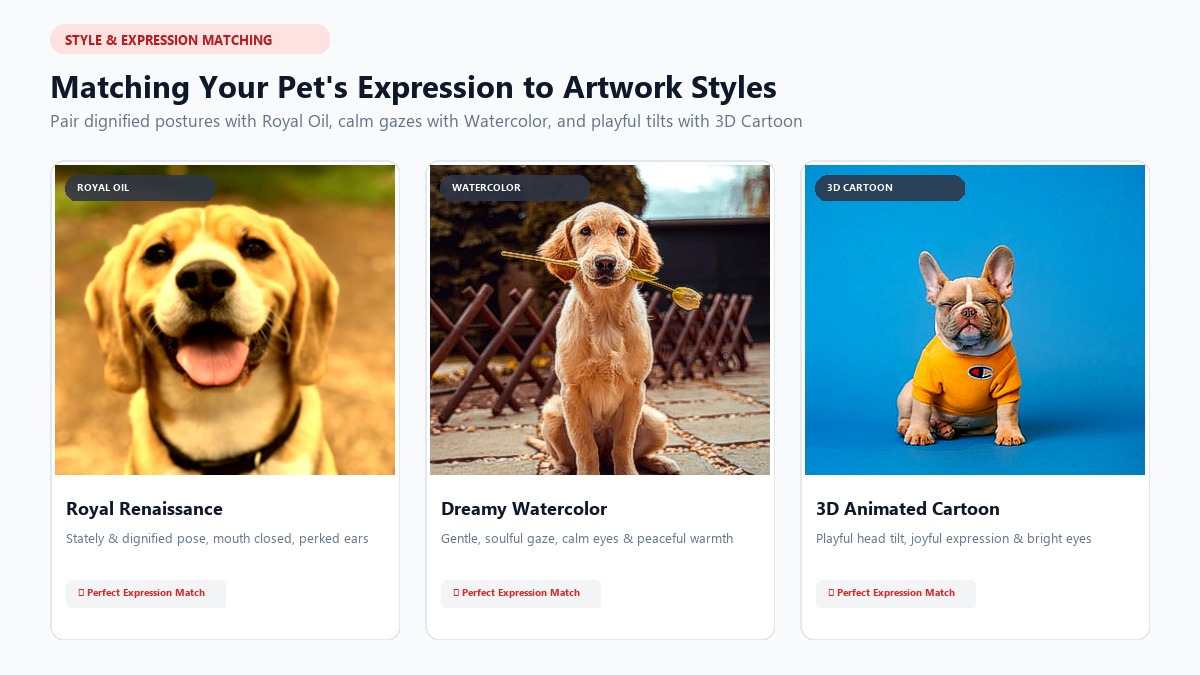
Different artistic styles convey distinct emotional vibes. Choosing a photo whose posture and facial expression complement your target art style yields dramatically better results.
+------------------------------------------------------------------------+
|                   STYLE & EXPRESSION MATCHING GUIDE                    |
+------------------------------------------------------------------------+
| Art Style         | Ideal Photo Expression     | Best Head Angle       |
| ---------         | ----------------------     | ---------------       |
| Royal Renaissance | Dignified, mouth closed    | 3/4 turn, perked ears |
| Watercolor        | Gentle, calm, dreamy eyes  | Direct eye contact    |
| 3D Cartoon        | Alert, tongue out, excited | Playful head tilt     |
| AI Roast Card     | Quirky, side-eye, caught   | Extreme candid angle  |
+------------------------------------------------------------------------+
1. Royal Renaissance Portraits
- Ideal Expression: Serious, stately, mouth closed, and ears alert.
- Best Angle: A subtle three-quarter turn where your pet looks slightly off-camera or proudly straight ahead.
- Why It Works: 18th-century aristocratic oil paintings celebrate noble grandeur. A dignified, poised expression effortlessly complements velvet capes, golden epaulets, and ruffled Victorian collars.
2. Dreamy Watercolor Art
- Ideal Expression: Peaceful, serene, with soft eye contact.
- Best Angle: Front-facing or slightly resting chin.
- Why It Works: Watercolor art emphasizes delicate brushstrokes, translucent color bleeds, and gentle warmth. A calm, soulful gaze harmonizes beautifully with soft pastel tones. Check out our dedicated guide to watercolor pet portraits to preview sample aesthetics.
3. 3D Cartoon & Superhero Styles
- Ideal Expression: Big expressive eyes, slight head tilt, or happy open-mouthed smile.
- Best Angle: Dynamic eye-level shot with ears standing tall.
- Why It Works: Animated studio character art thrives on lively, vibrant energy. An alert, joyful face transforms into an animated hero with cinematic lighting and vivid charm.
4. AI Personality Roast Cards
- Ideal Expression: Bombastic side-eye, dramatic yawn, guilty "caught-in-the-act" face, or funny sleeping contortion.
- Best Angle: Candid, unposed, and full of character.
- Why It Works: Viral personality roast cards analyze your pet's facial expression to generate funny archetype titles (like "The Couch Dictator" or "Certified Snack Inspector") along with witty behavioral bullet points. The funnier and more chaotic the expression, the more hilarious the roast card will be.
+-------------------------------------------------------------+
|                 SAMPLE AI ROAST CARD OUTPUT                 |
+-------------------------------------------------------------+
|  [Photo Upload: Cat staring menacingly from top of fridge]  |
|                                                             |
|  Archetype: THE APARTMENT OVERLORD                          |
|  - 0% respect for personal space or closed laptop keyboards |
|  - 100% convinced 4:15 AM is the official breakfast time   |
|  - Secret Talent: Teleporting when string cheese wrapper crinkles |
|  - Primary Weakness: The red laser dot of existential doom  |
+-------------------------------------------------------------+
When Marcus uploaded a photo of his tuxedo cat, Luna, glaring suspiciously from the kitchen counter into PawPortrait's funny pet portraits & roasts generator, the AI produced a hilarious card crowning Luna the "Snack Cartel Boss." The roast card racked up over 15,000 upvotes when shared on social media.
What If You Only Have Old or Memorial Photos?
Creating a tribute portrait for a pet who has crossed the Rainbow Bridge is one of the most meaningful ways to honor their memory. Pet parents often worry that older camera roll pictures or scanned vintage prints cannot be converted into high-end art.
+-------------------------------------------------------------+
|                MEMORIAL PHOTO SELECTION RULES               |
+-------------------------------------------------------------+
|  1. Pick the photo that captures their true spirit & eyes   |
|  2. Avoid digital screenshot re-compressions                |
|  3. Upload the highest-resolution original file available   |
|  4. Let the AI reconstruct fur texture and canvas brushwork |
+-------------------------------------------------------------+
If you are working with limited, older photographs, follow these guidelines:
- Choose Emotional Resonance Over Technical Perfection: If you have three photos, choose the one where your pet's personality and gaze feel most authentic to you. Modern AI upscaling engines can reconstruct fur texture, but the emotional spark comes from the original expression.
- Retrieve Original Files (Avoid Screenshotting): Do not take a screenshot of a photo in your gallery. Go to your cloud backup (iCloud, Google Photos, or Dropbox) and download the original, uncompressed image file to preserve maximum pixel data.
- Avoid Extreme Digital Crops: If your pet is small in the background of a group picture, crop gently. Over-zooming creates heavy pixelation that degrades edge clarity.
AI pet art platforms provide grieving pet parents with an accessible, comforting keepsake without the multi-week wait times or $200+ price tags of traditional commissioned painters.
5 Common Photo Mistakes That Ruin AI Pet Art
Avoid these five critical pitfalls when selecting your upload:
[X] 1. Direct Camera Flash       -> Creates glowing demonic eye reflections
[X] 2. Standing Downward Angle   -> Compresses body, creates huge forehead
[X] 3. Heavy Social Filters      -> Distorts natural coat hues and patterns
[X] 4. Multi-Pet Group Photos    -> Causes AI feature blending and confusion
[X] 5. Clipped Ears or Snout     -> Forces AI to hallucinate missing anatomy
- Using Direct Camera Flash: Flash alters natural coat color and destroys iris color depth.
- Shooting from Standing Height: Severe downward angles ruin natural breed stature.
- Applying Social Media Beauty Filters: Snapchat or Instagram filters alter edge contrast and skin/fur texture, preventing AI from detecting authentic facial contours.
- Uploading Multi-Pet Group Photos in a Single Shot: Uploading two dogs cuddling together frequently causes the AI to blend coat patterns or generate anatomical anomalies. For best results, generate individual portraits for each pet.
- Cropping Off Ears or Whiskers: When ears are cut off by the frame edge, the AI must guess the ear shape, occasionally producing mismatched ears or wrong breed characteristics.
To see professional pet photographers demonstrate lighting and camera angles in real time, watch helpful studio walkthroughs such as Adam Goldberg's Pet Portrait Photography Guide.
How to Turn Your Photo into Custom Art in 60 Seconds
Once you have selected your favorite photo, creating your custom masterpiece is completely frictionless. Unlike complex developer tools or generic AI art generators, PawPortrait requires zero prompt engineering or artistic background.
+-------------------------------------------------------------+
|               PAWPORTRAIT 3-STEP CREATION FLOW              |
+-------------------------------------------------------------+
|  Step 1: Upload your favorite pet photo                     |
|  Step 2: Select your style (Watercolor, Royal, Cartoon, etc)|
|  Step 3: Download ultra-high-res 4K art in 20-60 seconds    |
+-------------------------------------------------------------+
Here is how the streamlined process works:
- Visit the creation studio to create your custom pet portrait.
- Upload your well-lit, eye-level pet photo.
- Select your preferred aesthetic—such as Royal Portrait, Watercolor, 3D Cartoon, Superhero, Cozy Illustration, or Minimal Studio.
- Click generate and let the dedicated pet AI process your image in 20 to 60 seconds.
- Download high-resolution digital files ready for phone wallpapers, social sharing, or framing on museum-grade canvas.
Transparent Pricing with No Subscription Traps
Many online photo apps lock customers into recurring weekly or monthly subscription fees that are difficult to cancel. PawPortrait operates on transparent, pay-as-you-go credit packs that never expire:
- Starter Pack: $4.99 for 8 portrait credits ($0.62 per creation) — perfect for trying multiple styles.
- Popular Pack: $9.99 for 20 portrait credits ($0.50 per creation) — ideal for dog and cat parents wanting portraits, wallpapers, and roast cards.
- Gift Pack: $19.99 for 50 portrait credits ($0.40 per creation) — the ultimate gift for pet-loving friends and family.
Frequently Asked Questions
Can I use a regular smartphone photo for an AI pet portrait?
Yes, modern smartphones take exceptional photos for AI portraits. As long as the photo is well-lit with natural light, in sharp focus, and taken at your pet's eye level using 2x zoom from 4 to 6 feet away, your smartphone upload will produce stunning, gallery-grade artwork.
What should I do if my dog won't stay still for a photo?
Exercise your dog for 15 minutes prior to the shoot to burn off excess energy. When ready, hold a high-value treat touching the top edge of your phone camera lens and use burst shooting mode to capture rapid frames the moment their ears perk up.
Why does my black dog or cat look like a dark silhouette in AI art?
Black fur absorbs light, causing camera sensors to underexpose dark areas. To fix this, place your pet 3 feet from a sunlit window at a 45-degree angle so indirect daylight illuminates subtle coat highlights, jawlines, and whiskers before uploading.
Can I put two pets in a single AI portrait?
Most AI pet models perform best with single-subject uploads because multiple animals can cause feature blending. The recommended approach is to generate individual custom portraits for each pet, ensuring both animals receive flawless anatomical detail.
What is the single best camera angle for pet portraits?
The best camera angle is direct eye level. Crouching or lying on the floor so the camera lens matches your pet's eye height preserves natural facial proportions, captures vital eye catchlights, and creates an engaging, lifelike portrait.
Is my uploaded pet photo kept private and secure?
Yes, photos uploaded to PawPortrait are processed securely to generate your requested artwork and are never used to train public AI models. Your privacy and your pet's images remain strictly protected.
Conclusion
Choosing the best photo for an AI pet portrait comes down to four simple photographic principles: crouch to your pet's eye level, step back and shoot at 2x zoom, embrace soft indirect daylight, and match their natural expression to your chosen art style. You don't need expensive photography equipment or hours of preparation—just a few mindful minutes with your smartphone and a favorite treat.
Take five minutes today to check your phone camera roll against the five golden rules, or snap a fresh window-lit portrait of your fur baby. When you're ready, upload your pet photo to PawPortrait and watch your companion transform into a stunning piece of custom fine art in under 60 seconds.