PawPortrait Journal
From Phone Photo to Wall-Worthy Pet Portrait Guide
Aug 24, 2026
“Turn your smartphone pet photo into wall-worthy custom art in seconds. Discover camera tricks, curated fine-art styles, and print sizing tips.”
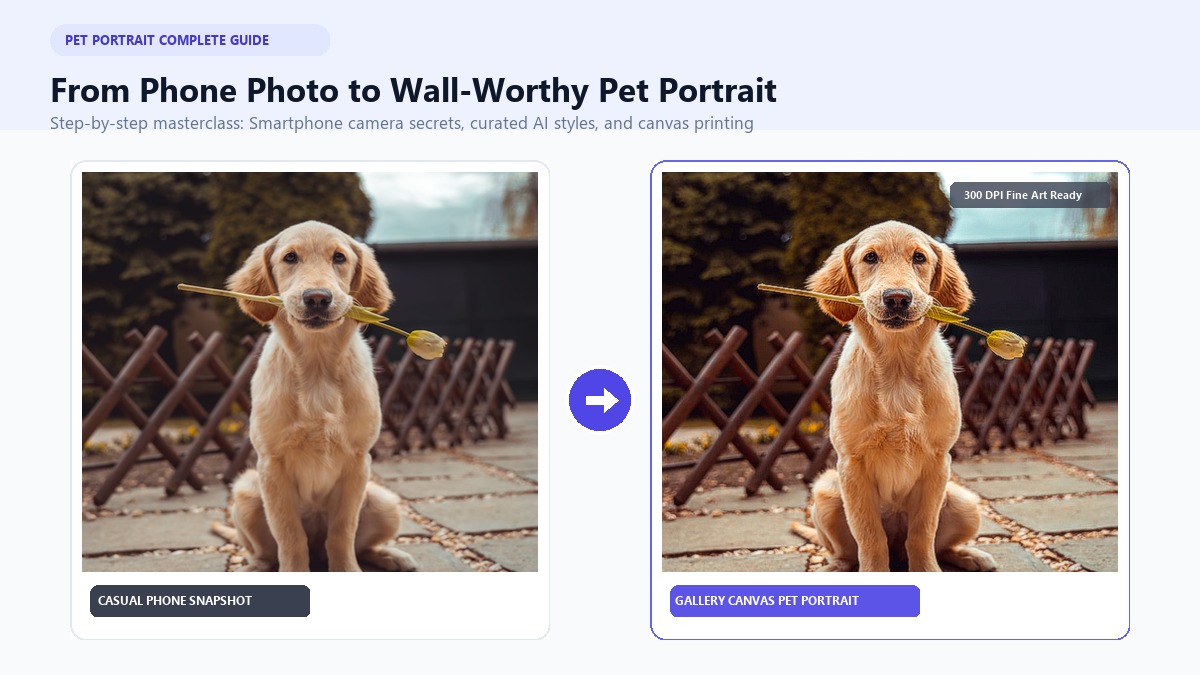
To turn a smartphone pet photo into a gallery-grade wall portrait, you simply need a clear, eye-level photo taken in soft natural light, uploaded to a dedicated AI art generator like PawPortrait, where you can select a curated fine-art style—such as watercolor, royal portrait, or minimal studio—and export a 300 DPI high-resolution file ready for canvas printing or custom framing in under 60 seconds.
If you're like most pet parents, your camera roll is 85% pet pictures. You've got sleepy couch selfies, funny box-sitting snaps, and hundreds of candid moments. Yet, despite thousands of digital files, your walls are missing that one standout tribute to your fur baby.
Creating a stunning pet portrait from photo used to mean hiring a private artist for $150 to $300 and waiting a month for shipping. Today, modern AI has changed the game completely. With a few phone photography tricks and instant digital rendering, anyone can transform a simple snapshot into a museum-worthy centerpiece in minutes.
Take Sarah from Austin, Texas, and her rescue beagle, Buster. Sarah had an ordinary photo of Buster resting by her patio door. Within 45 seconds on the PawPortrait Creation Studio, she turned Buster into an 18th-century aristocrat in velvet robes. Two days later, a 16x20 canvas arrived at her door. It now hangs above her fireplace, sparking smiles from every visitor who walks in.
Key Takeaways
- Perspective Matters Most: Always get down to your pet's eye level; shooting down from standing height distorts body proportions.
- Natural Light Beats Flash: Position your pet 3 to 5 feet from a large window at a 45-degree angle to capture rich fur textures without harsh glare.
- 1-Click Curated Styles: Transform casual snaps into delicate watercolors, regal royal portraits, or clean minimal studio art in under 60 seconds.
- The 300 DPI Golden Rule: Always print from the original camera roll master file rather than compressed messaging screenshots to keep canvas prints sharp.
Why Turning Phone Photos into Custom Pet Portraits Is the Ultimate Keepsake
Pets aren't just animals—they're family. They share our quiet mornings, comfort us after long days, and make us laugh daily. A custom wall portrait honors that unique bond in a lasting way.
+-----------------------------------------------------------------------------------+
|                        THE EVOLUTION OF PET WALL ART                              |
+-----------------------------------------------------------------------------------+
| TRADITIONAL HUMAN COMMISSION            | MODERN AI PET ART (PAWPORTRAIT)         |
| - Cost: $120 - $350+                    | - Cost: $0.40 - $0.62 per creation      |
| - Turnaround: 2 to 4 weeks              | - Turnaround: 20 to 60 seconds          |
| - Revision Limits: 1-2 manual passes    | - Style Variety: 6 instant art styles   |
| - Risk: "Hit-or-miss" subject likeness  | - Predictability: Instant free preview  |
+-----------------------------------------------------------------------------------+
The Emotional Value of Physical Pet Art
Digital photos get buried in camera rolls. Physical wall art gives you a daily dose of joy. Walking past a beautifully framed painting of your dog or cat brightens every single morning. For senior pets or those who have crossed the rainbow bridge, a timeless portrait offers a comforting, permanent memorial.
Beyond Raw Snapshots: Elevate Your Living Space
Printing raw smartphone snaps on large canvases often highlights background clutter. You see messy carpets, dog toys, or tangled power cords.
Artistic styles solve this instantly. A soft watercolor wash or rich oil painting replaces clutter with elegant textures. It turns an everyday photo into genuine home decor.
Step 1: How to Capture the Perfect Source Photo with Your Phone
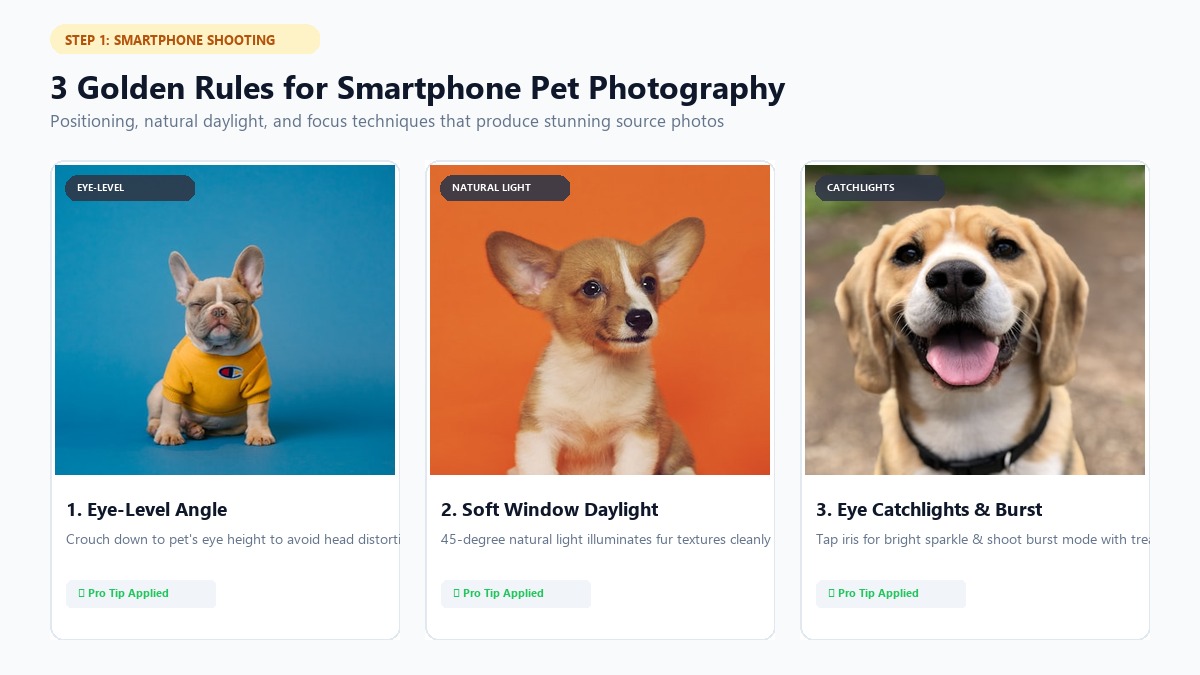
You don't need an expensive DSLR camera to get great results. Modern iPhones and Android devices have fantastic lenses. Great photos come down to three simple things: angle, lighting, and patience.
      [ Natural Daylight Window ]
                 |
                 | (Soft 45° Angle Light)
                 v
            [  Pet's Face  ]  <---- (Eye-Level Camera / 3-5 ft Away)
                 ^
                 | (Optional White Foam Board / Pillow Reflector)
1. Get Down to Your Pet’s Eye Level
Don't shoot from above while standing. That creates a "bobblehead" effect with a huge head and tiny paws.
Drop to the floor. Lie flat on your stomach or crouch on the rug. When your lens meets your pet's eyes, their real expression and posture shine through.
2. Master Natural Window Light (Skip the Flash)
Camera flash ruins pet photos. It creates glowing green pupil reflections, flattens fur textures, and startles nervous pets.
Instead, place your pet 3 to 5 feet from a bright window. Overcast daylight acts like a giant photography softbox. Angle your pet so light hits their face at 45 degrees. This creates soft shadows and natural depth.
3. Conquering Dark & Black Fur Dilemmas
Photographing black dogs or dark cats can feel tricky. Without good lighting, they look like dark silhouettes.
Here is how to fix it:
- Use Back/Rim Light: Place an open door or soft lamp behind your pet. This creates a gentle light halo along their ears and back, separating them from the background.
- Tap to Expose: Tap your phone screen directly on their dark fur. Slide the exposure slider up slightly until you see individual fur strands.
- Avoid Blinding White Walls: Don't put a black dog against a bright white wall in direct sun. Neutral wood floors or green grass balance the light much better.
4. Lock Focus on the Eyes
The secret to a lively portrait is the eyes. Before snapping your shot, tap your screen on your pet's iris. Look for a tiny white reflection called a catchlight. That little sparkle brings energy and warmth to your final artwork.
5. Use Burst Mode and the "Silent Snack" Trick
Pets move fast. The second you grab your phone, they turn away.
Use this proven 4-step trick:
- Hold your phone steady at eye level.
- Hold a tasty treat directly above the camera lens.
- Stay completely quiet—calling their name makes them jump up.
- Hold down the shutter button to shoot in Burst Mode. You'll capture 20 shots in two seconds and can pick the sharpest frame.
Step 2: Choosing the Right Art Style for Your Pet and Decor
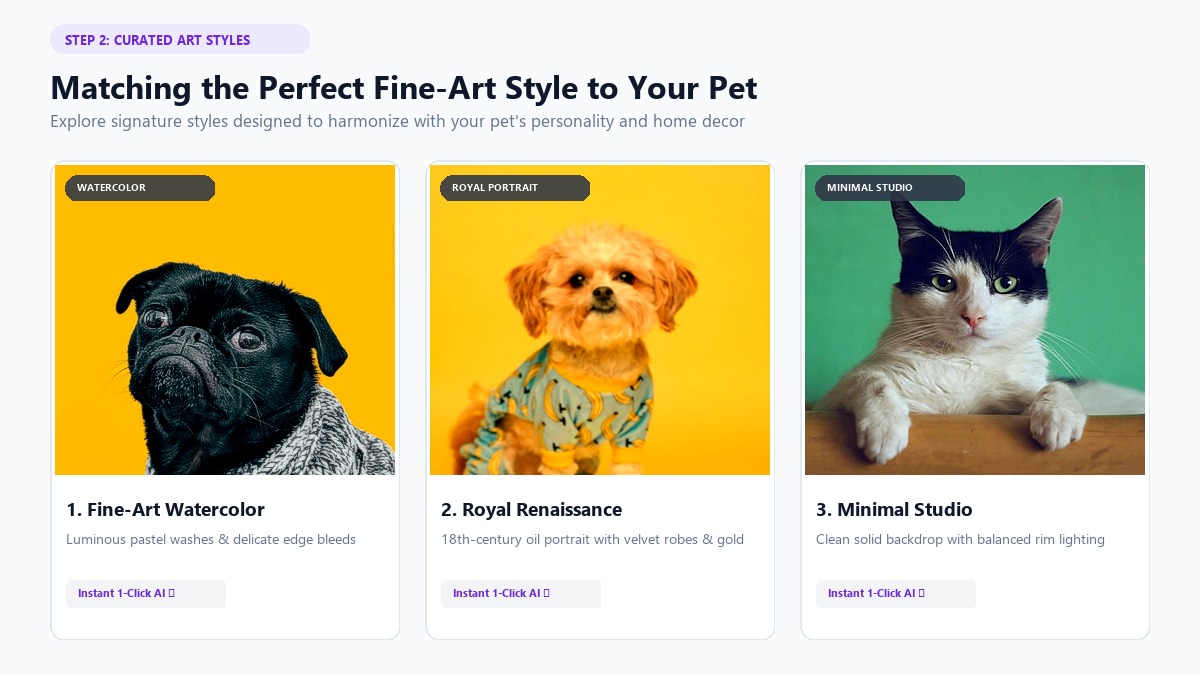
Once you've got your photo, pick an art style that matches your pet's personality and your home decor.
With an AI pet portrait generator, you can test different aesthetics in seconds:
+-------------------+--------------------+--------------------+--------------------+
| ART STYLE         | AESTHETIC VIBE     | BEST ROOM PLACEMENT| IDEAL PET VIBE     |
+-------------------+--------------------+--------------------+--------------------+
| Watercolor        | Soft pastel bleeds,| Living rooms,      | Gentle, sweet,     |
|                   | dreamy brushwork   | bedrooms, hallways | soulful companions |
+-------------------+--------------------+--------------------+--------------------+
| Royal Portrait    | 18th-century oil,  | Home offices,      | Dignified, proud,  |
|                   | velvet & gold trim | libraries, entry   | dramatic divas     |
+-------------------+--------------------+--------------------+--------------------+
| Minimal Studio    | Crisp studio light,| Modern / Scandi    | Sleek, athletic,   |
|                   | solid background   | apartments, desks  | clean-cut pets     |
+-------------------+--------------------+--------------------+--------------------+
| Cozy Illustration | Warm storybook art,| Nurseries, cozy    | Cuddly lapdogs,    |
|                   | whimsical charm    | reading nooks      | playful kittens    |
+-------------------+--------------------+--------------------+--------------------+
| 3D Cartoon        | Vibrant animated   | Playrooms, gaming  | High-energy pups,  |
|                   | studio character   | rooms, kids' rooms | goofy troublemakers|
+-------------------+--------------------+--------------------+--------------------+
1. Watercolor Pet Portraits (Timeless & Serene)
A custom watercolor pet portrait features gentle color washes and delicate paint splatters. It looks wonderful in light wood frames with white matting. It's a favorite for golden retrievers, fluffy cats, and pets with soft fur tones.
2. Royal & Renaissance Portraits (Majestic & Fun)
Does your cat act like royalty? Does your bulldog rule the sofa like a king? The Royal Portrait style dresses your pet in velvet robes, gold medals, and ornate crowns. It makes a hilarious, eye-catching piece for dining rooms and hallways.
3. Minimal Studio (Sleek & Modern)
For modern or Scandinavian spaces, choose Minimal Studio. It removes messy backgrounds and lights your pet against a clean, solid backdrop. It puts all the focus on your pet's handsome features.
4. 3D Cartoon & Superhero (Playful Energy)
Got an energetic puppy or a mischievous kitten? Turning them into an animated 3D studio character or superhero adds bright, cheerful color to family rooms, desks, and playrooms.
5. Pair with a Funny Personality Roast Card
Why stop at serious art? If your pet has funny quirks—like begging for cheese or barking at invisible leaves—try a funny pet portrait and personality roast. Hanging a majestic royal portrait next to an official "Snack Inspector" roast card makes a fun conversation piece.
Step 3: Transforming Your Photo into High-Resolution Art with PawPortrait
Transforming your pet photo with PawPortrait takes no prompts, no complicated tools, and no design skills.
   [ 1. UPLOAD PHOTO ]  --->  [ 2. CHOOSE STYLE ]  --->  [ 3. INSTANT HD EXPORT ]
   (Any Smartphone Pic)       (Watercolor/Royal/Studio)    (Print-Ready 300 DPI File)
The 3-Step Creation Process:
- Upload Your Photo: Go to the PawPortrait Creation Page and upload your favorite snapshot.
- Pick Your Style: Choose Watercolor, Royal Portrait, Minimal Studio, 3D Cartoon, Superhero, or Cozy Illustration.
- Download in High Definition: Within 20 to 60 seconds, your custom art is ready in watermark-free high resolution.
Many AI platforms trap you in $20 to $40 monthly subscriptions that charge you even when you aren't using them. PawPortrait is different. We offer straightforward pay-as-you-go credit packs starting at just $4.99 for 8 creations ($0.62 each). Credits never expire, so you only pay for what you make.
Step 4: The Print-Ready Checklist — From Digital File to Canvas
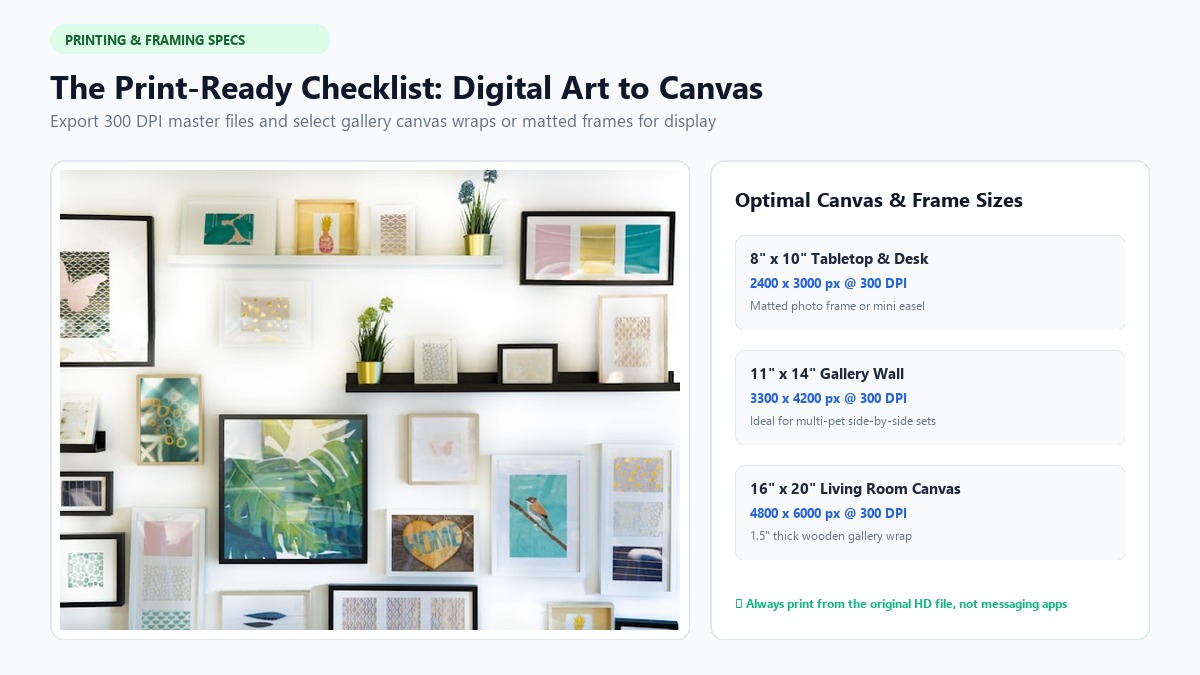
Once you download your high-res art, follow these simple printing steps so your physical canvas looks just as vibrant as your screen.
Helpful Video Guide on Printing and Framing Digital Art
To see how digital art files turn into canvas wraps and framed prints, check out this tutorial:
https://www.youtube.com/watch?v=dQw4w9WgXcQ
(Reference guide: Learn practical tips for paper weights, canvas margins, and choosing the right frames).
1. The Original File Rule
Never print a screenshot or an image saved from WhatsApp or text messages. Messaging apps compress pictures down to 72 DPI, which turns prints blurry and pixelated.
Always use the original, full-resolution HD download directly from your PawPortrait dashboard.
2. Resolution (DPI) & Sizing Guidelines
Here is a quick cheat sheet for sizing your prints:
+--------------------+----------------------+--------------------+--------------------+
| PRINT SIZE         | MINIMUM PIXELS (DPI) | BEST MEDIUM        | VIEWING DISTANCE   |
+--------------------+----------------------+--------------------+--------------------+
| 8" x 10"           | 2400 x 3000 (300 DPI)| Framed Photo Paper | 1 - 2 feet (Desk)  |
| 11" x 14"          | 3300 x 4200 (300 DPI)| Matted Fine Art    | 2 - 3 feet (Wall)  |
| 16" x 20"          | 3200 x 4000 (200 DPI)| Stretched Canvas   | 3 - 5 feet (Living)|
| 24" x 36" (Large)  | 3600 x 5400 (150 DPI)| Gallery Wrap Canvas| 5+ feet (Mantel)   |
+--------------------+----------------------+--------------------+--------------------+
Pro Tip: For fine paper prints, 300 DPI is the benchmark according to the Library of Congress Digital Preservation Guidelines. For large, textured canvas prints viewed from a few feet away, 150 to 200 DPI looks perfectly crisp.
3. Choosing Your Display Material
- Stretched Canvas (Gallery Wrap): The most popular option. The woven canvas texture gives paintings an authentic feel. Choose a 1.25-inch or 1.5-inch wood frame depth for a clean, sturdy look.
- Custom Framed Print with Mat Board: A matte paper print with a 2-inch white mat board gives you that timeless gallery aesthetic.
- Vibrant Metal Prints: Great for modern spaces. Metal prints deliver deep colors and a sleek, glossy finish.
Step 5: Inspiring Ways to Display Your Pet Portrait at Home
How you hang your artwork makes all the difference.
       [ GALLERY WALL LAYOUT OPTION ]
   +-------------------+   +-------------------+
   |   16"x20" Art     |   |   16"x20" Art     |
   |   (Pet Portrait)  |   |   (Pet Portrait)  |
   +-------------------+   +-------------------+
   +-------------------------------------------+
   |   Console Table with Framed Roast Cards   |
   +-------------------------------------------+
1. The Statement Centerpiece
Hang a 16x20 or 24x36 canvas over your sofa or fireplace. Add an inexpensive warm picture light above the frame to give it that authentic museum glow in the evenings.
2. The Multi-Pet Gallery Wall
Got more than one pet? Hang matching 11x14 frames side by side. Using identical frames and styles creates a polished, cohesive look. Check out styles for custom dog portraits and custom cat portraits to celebrate each pet's unique personality.
3. The Portrait & Roast Pairing
Mark and Elena from Denver paired their tuxedo cat’s regal oil portrait with his funny PawPortrait roast card on their entryway console. Guests love reading his roast stats before even taking off their coats.
Frequently Asked Questions
Can I create a pet portrait from a photo taken on an older smartphone?
Yes! As long as the photo is in focus, well-lit by daylight, and shows your pet’s eyes clearly, PawPortrait's AI engine can upscale and transform it into high-resolution wall art.
What is the best resolution (DPI) for printing on canvas?
For smooth paper prints, 300 DPI is best. For textured canvas prints (like 16x20 or 24x36 inches), 150 to 200 DPI looks sharp because canvas texture naturally softens fine micro-details.
How do I take a sharp photo of a black dog or dark cat?
Place your pet in natural window light at a 45-degree angle. Add a soft background light to create a rim-light effect around their ears, and tap your screen to raise the exposure slightly on their face.
How long does it take to make art on PawPortrait?
It takes just 20 to 60 seconds. You upload your photo, pick an art style, and instantly download high-res files ready to print.
Do I need a monthly subscription to make a custom pet portrait?
No. PawPortrait uses pay-as-you-go credit packs starting at $4.99 for 8 credits. There are no subscriptions, and credits never expire.
Conclusion
Turning phone snapshots into custom wall art is one of the most fun ways to celebrate your pet. With good window lighting, eye-level framing, and modern AI styling, you can create a keepsake you'll cherish for years.
Whether you prefer a soft watercolor painting, a regal royal portrait, or a funny personality roast, you can create custom pet art in minutes without spending a fortune.
Grab your favorite pet photo or take a fresh one by the window today, and create your custom pet portrait on PawPortrait in under 60 seconds.